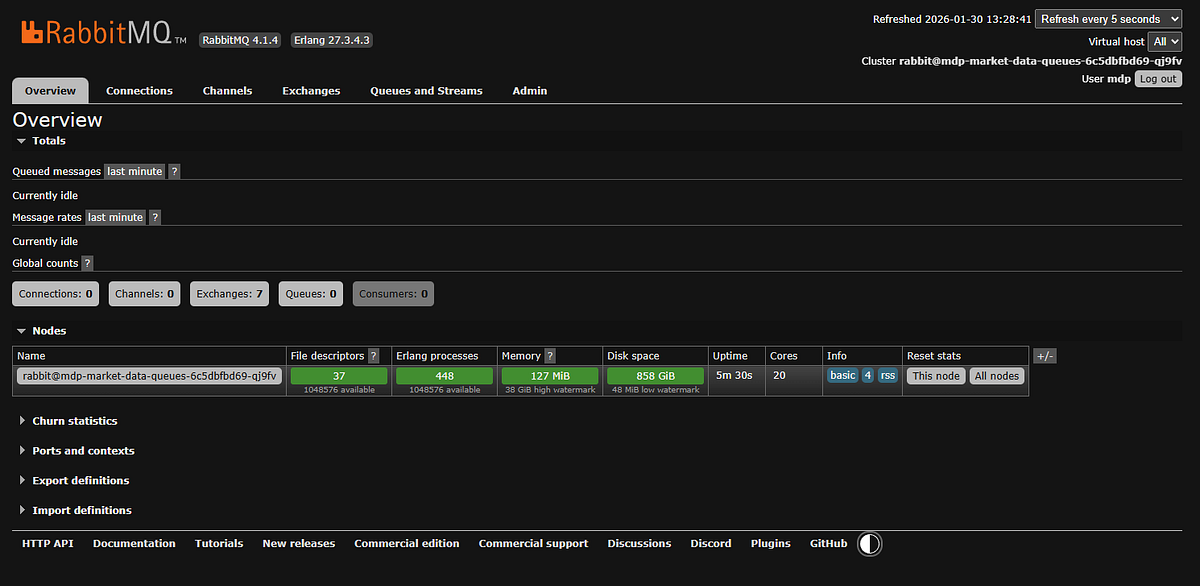
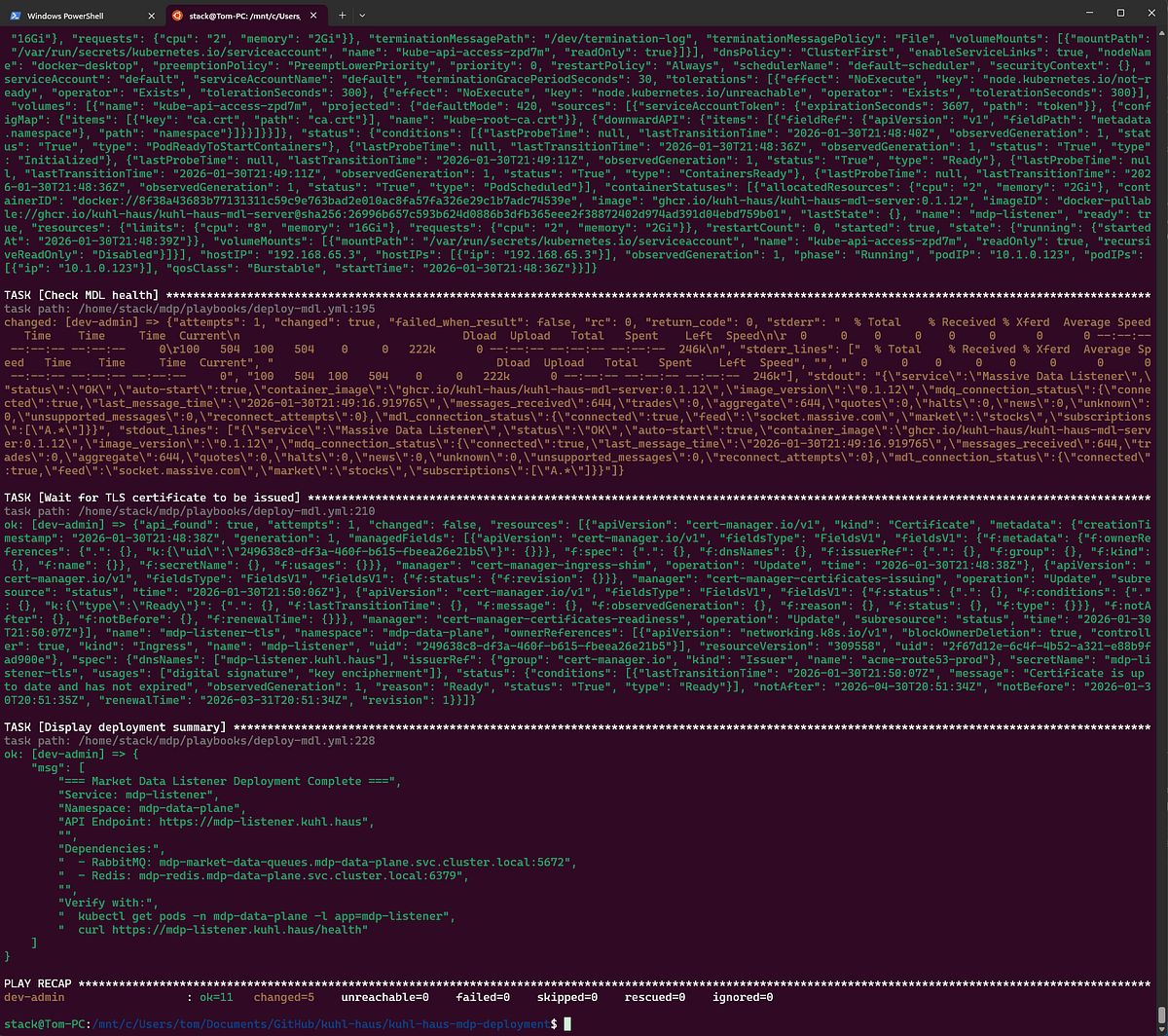
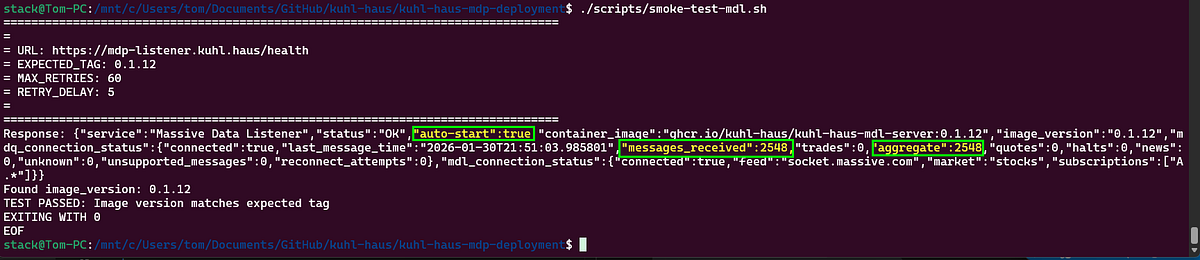
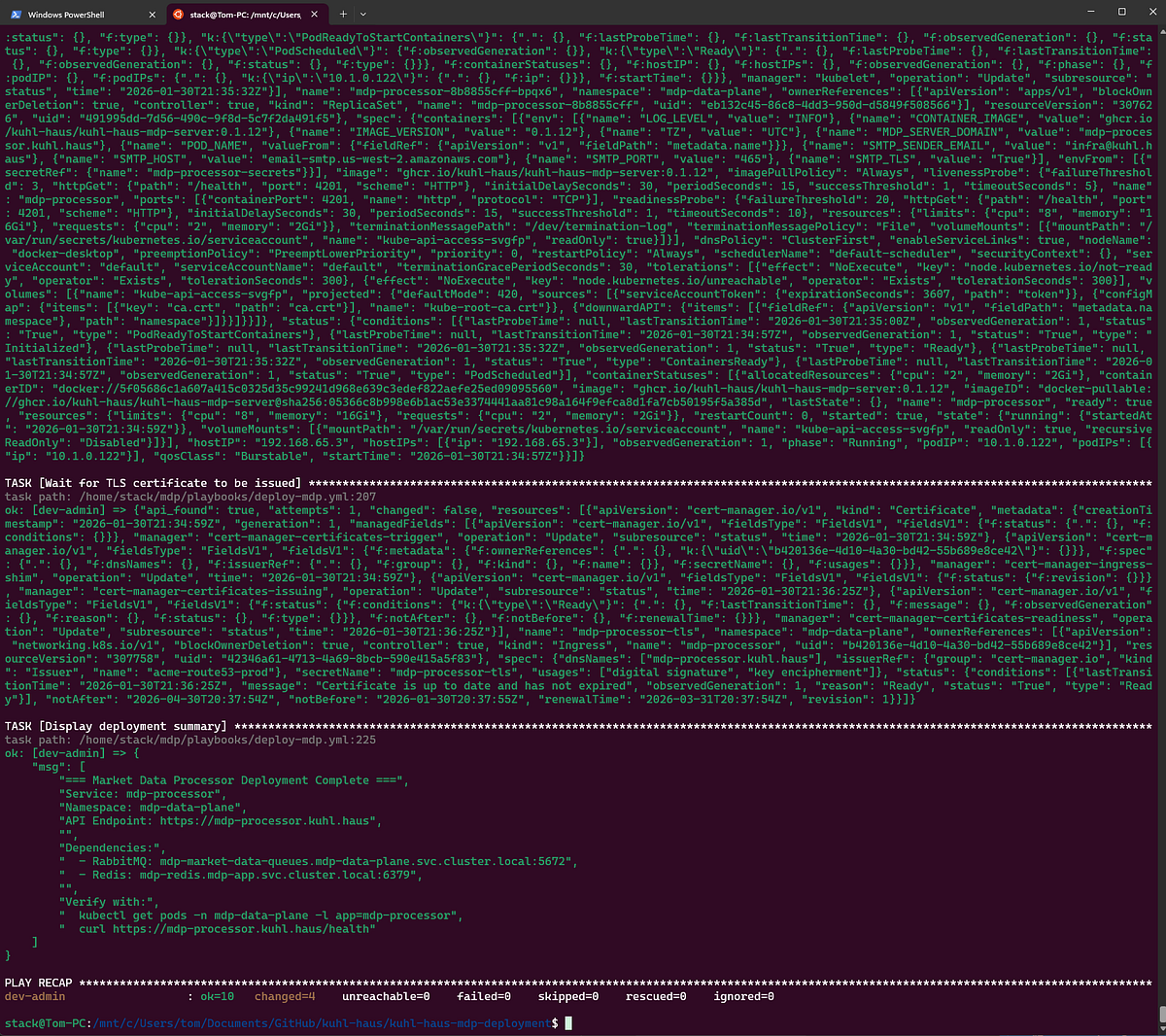
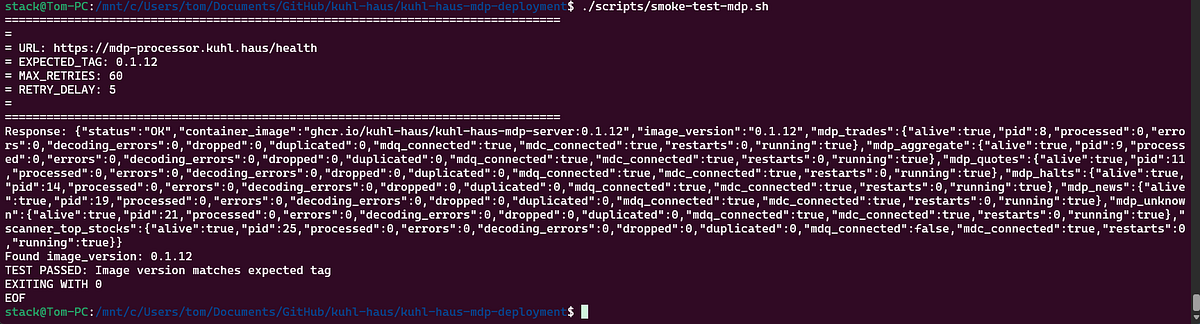
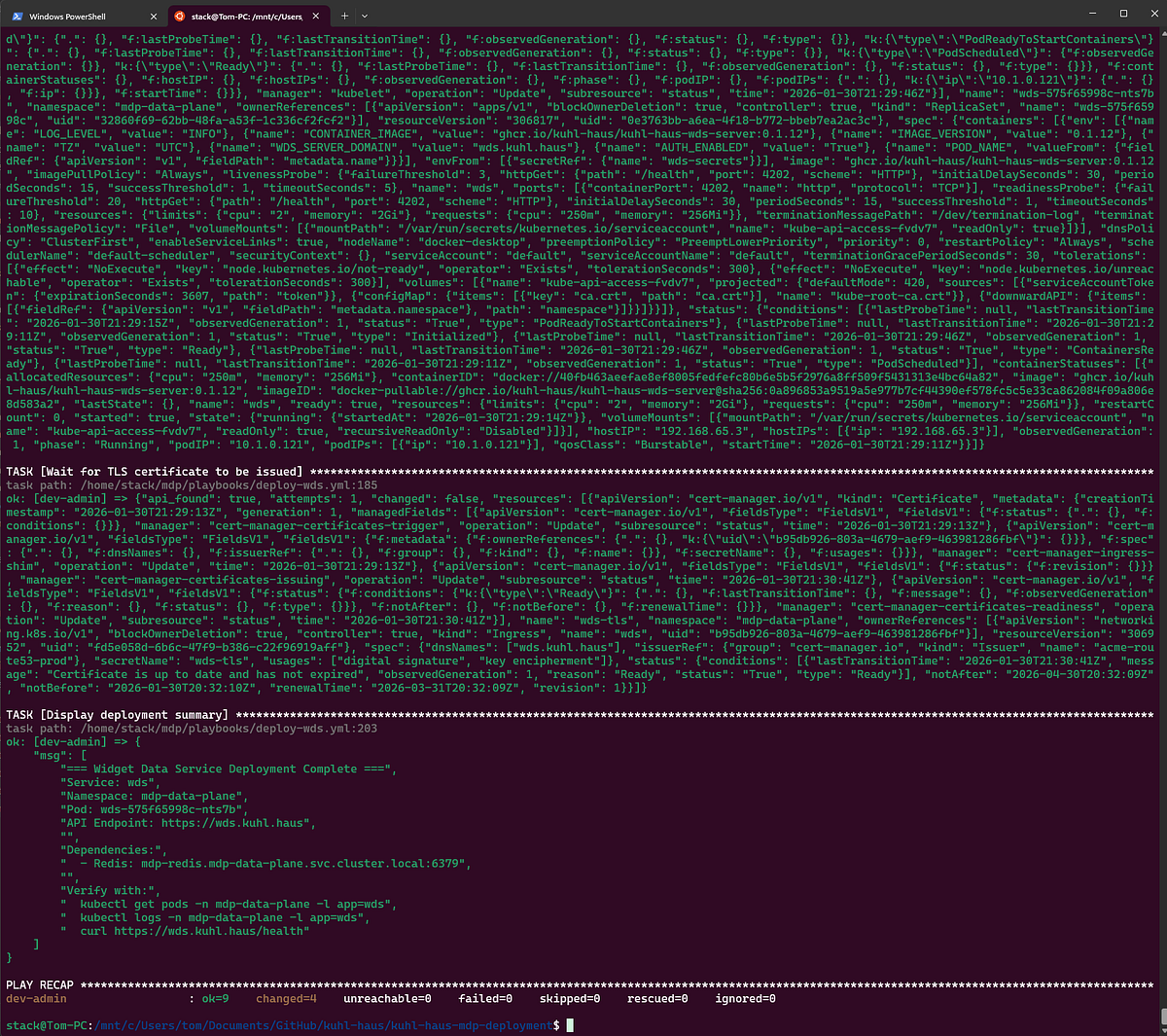
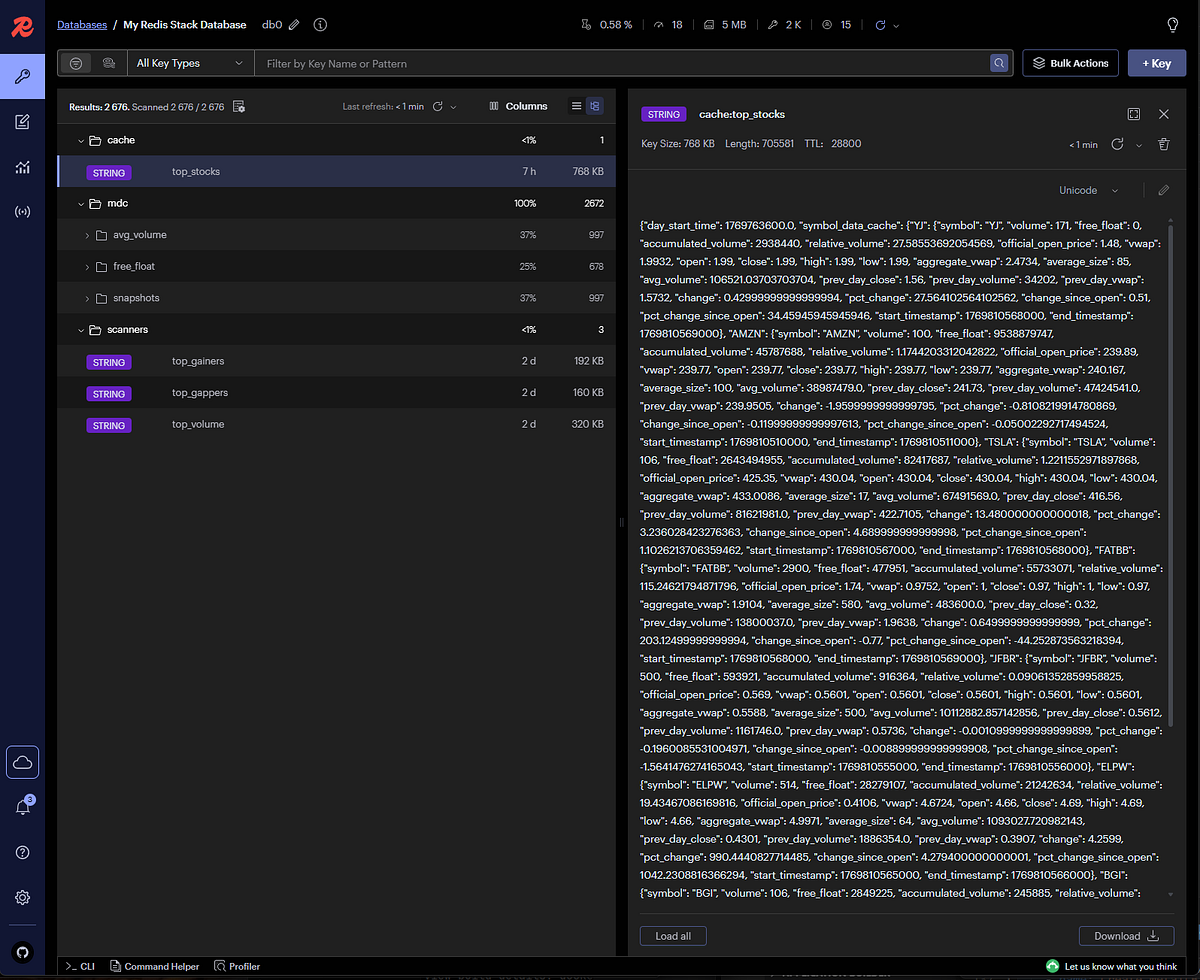
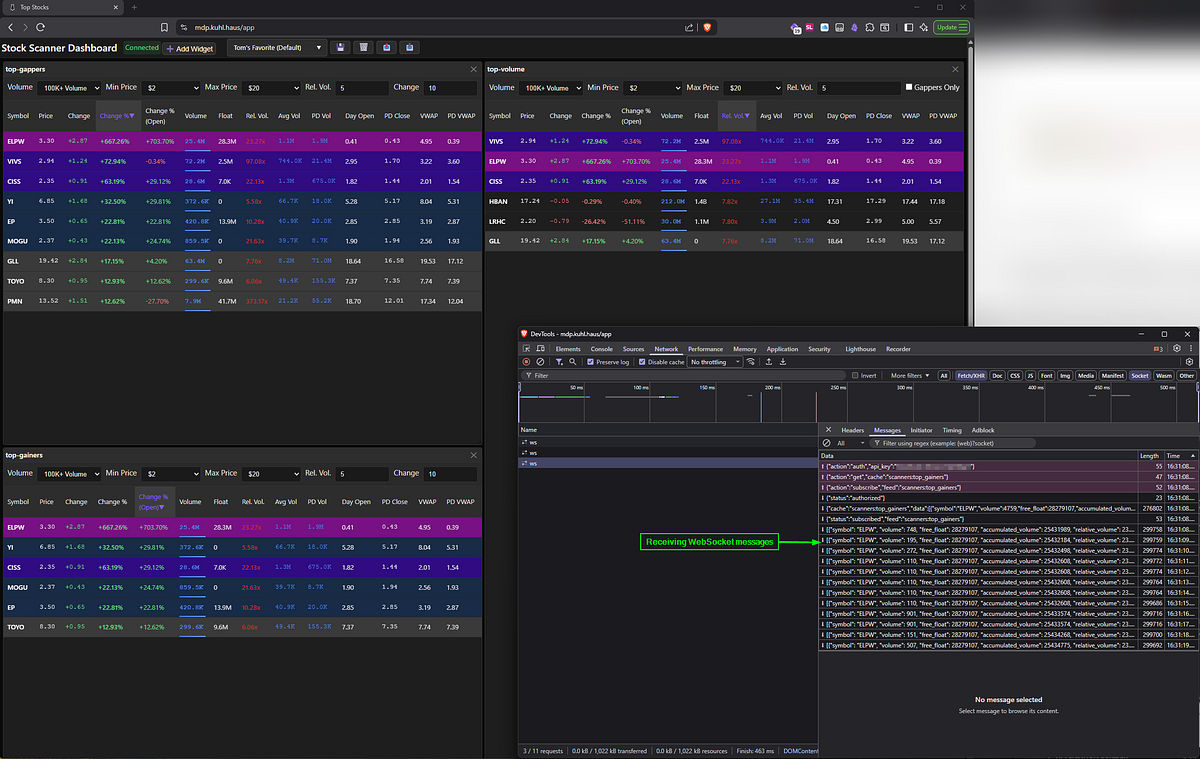
<?xml version="1.0" encoding="utf-8"?><feed xmlns="http://www.w3.org/2005/Atom" ><generator uri="https://jekyllrb.com/" version="3.10.0">Jekyll</generator><link href="https://oldschool-engineer.dev/feed.xml" rel="self" type="application/atom+xml" /><link href="https://oldschool-engineer.dev/" rel="alternate" type="text/html" /><updated>2026-04-02T00:57:44+00:00</updated><id>https://oldschool-engineer.dev/feed.xml</id><title type="html">Tom Pounders</title><subtitle>Senior Engineering Technical Leader with 25+ years building and securing enterprise systems at Amazon/AWS and Microsoft.</subtitle><author><name>Tom Pounders</name></author><entry><title type="html">Stock Selection: Why News Matters</title><link href="https://oldschool-engineer.dev/side%20projects/2026/04/01/stock-selection-why-news-matters.html" rel="alternate" type="text/html" title="Stock Selection: Why News Matters" /><published>2026-04-01T00:00:00+00:00</published><updated>2026-04-01T00:00:00+00:00</updated><id>https://oldschool-engineer.dev/side%20projects/2026/04/01/stock-selection-why-news-matters</id><content type="html" xml:base="https://oldschool-engineer.dev/side%20projects/2026/04/01/stock-selection-why-news-matters.html"><![CDATA[<p>In my <a href="/side%20projects/2026/01/16/what-i-built-after-quitting-amazon-spoiler-its-a-stock-scanner.html#down-the-day-trading-rabbit-hole">first post about Kuhl Haus MDP</a>, I emphasized that momentum trading strategies rely on real-time information, and I outlined Ross Cameron’s “Five Pillars of Stock Selection” as the criteria for what I set out to build. As a refresher, here they are:</p>
<ul>
  <li>Price between $2-$20 (sweet spot for me is $3-$7)</li>
  <li>Low float (10M shares cold market; 20M hot market)</li>
  <li>Up at least 10% on the day</li>
  <li>5x relative volume</li>
  <li>Fresh news catalyst</li>
</ul>

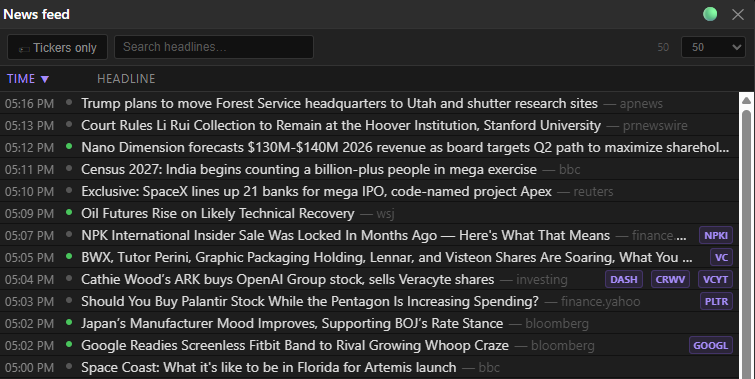
<p>At the time, I had everything except a news feed.  Now, that’s changed.</p>

<p>The fifth pillar — fresh news catalyst — is done. <a href="/software%20engineering/2026/02/23/what-i-built-after-quitting-amazon-spoiler-its-a-stock-scanner-part-5.html#looking-forward-the-four-waves">Wave 2</a> is officially in full swing. Let’s talk about what that means.</p>

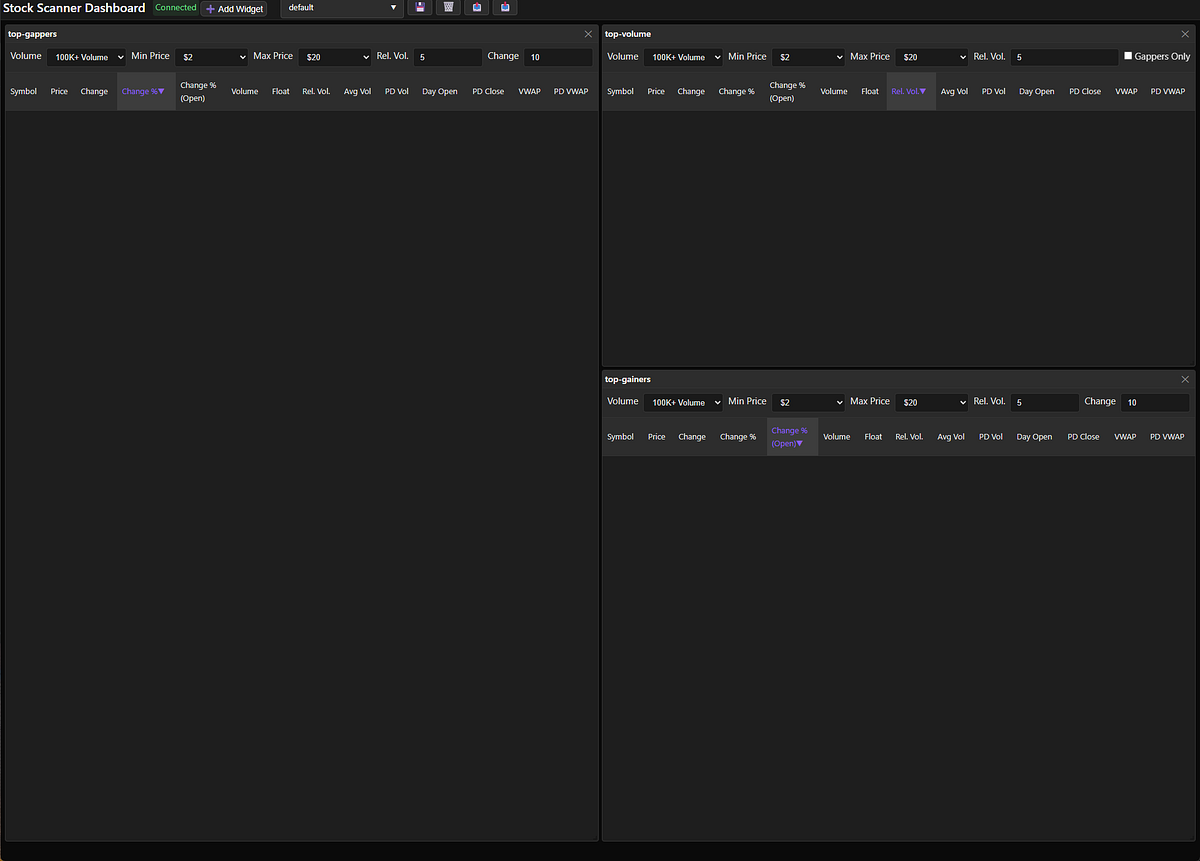
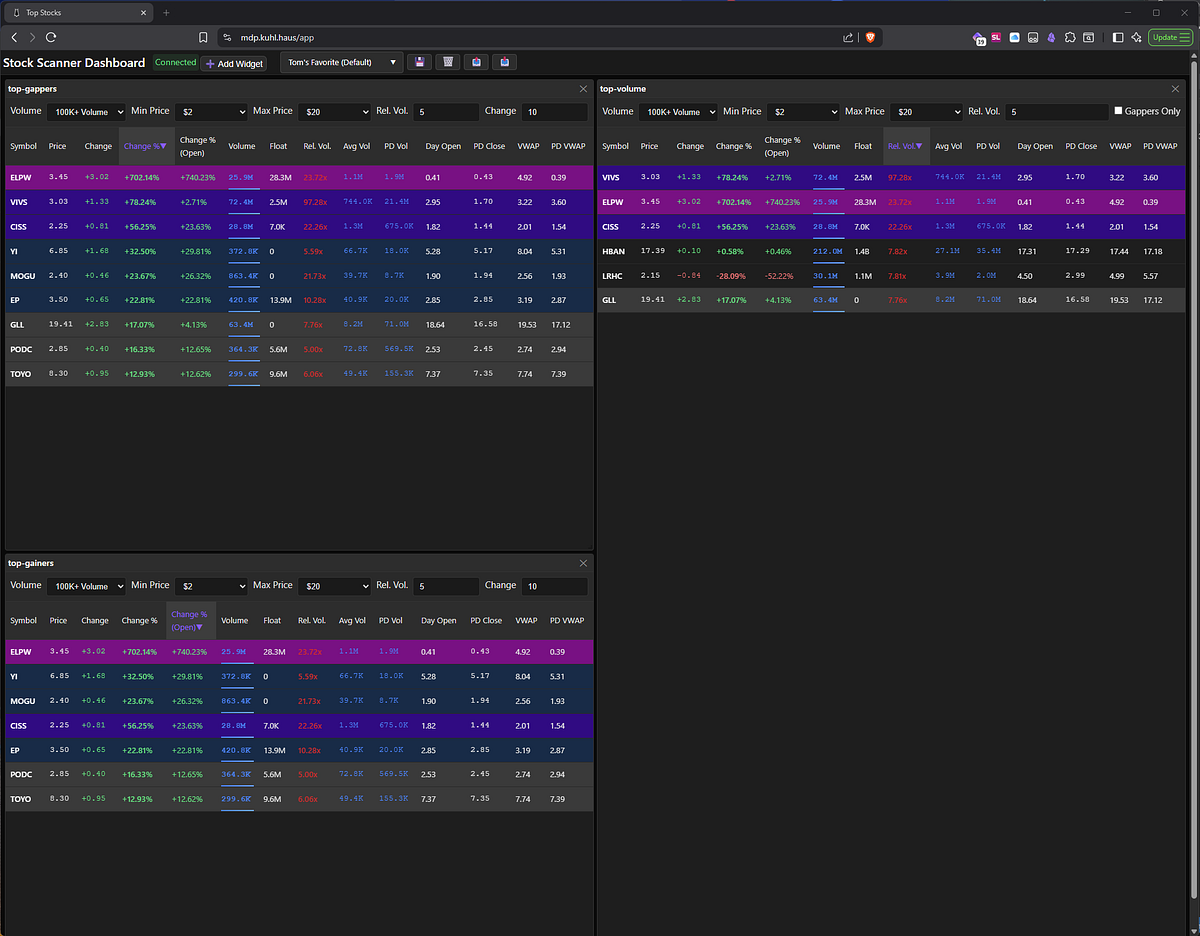
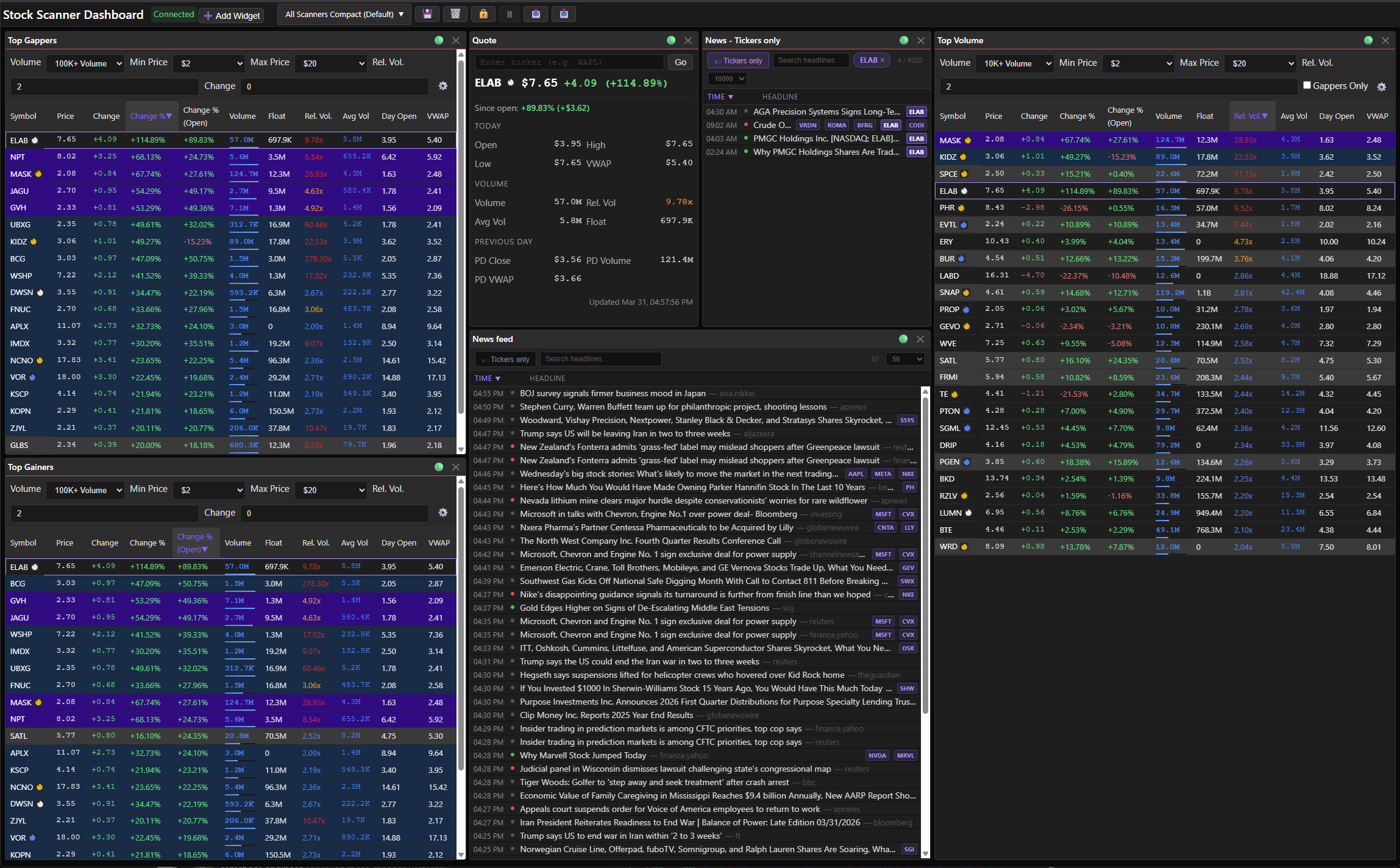
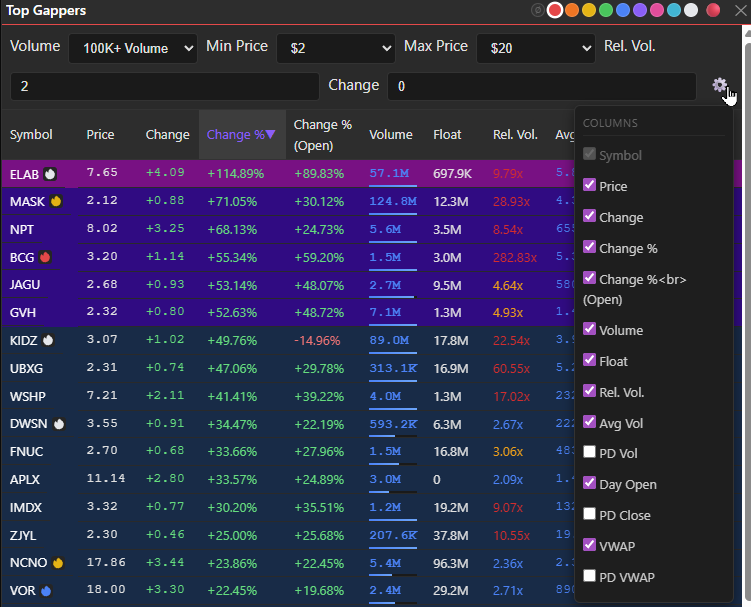
<p><img src="/assets/images/posts/stock-selection-why-news-matters/img-01.png" alt="" />
<em>Screenshot: Six widgets, zero clutter — this is what my layout looks like once I’ve set it up for a real trading day.</em></p>
<hr />

<h2 id="why-news-matters">Why News Matters</h2>

<p>A stock moving greater than 10% without an obvious technical breakout isn’t a mystery — it’s a gap in your information. News helps fill that gap. Maybe it’s an earnings beat. Maybe it’s an analyst upgrade. Maybe there’s no news at all, which tells you something too: that move is rumor, speculation, or someone with a bigger account than you acting on information you don’t have yet.</p>

<p>You can’t trade context you don’t have. That’s why news was always going to be the linchpin.</p>

<hr />

<h2 id="picking-a-news-provider">Picking a News Provider</h2>

<p>I didn’t want just any news feed. I needed:</p>

<ul>
  <li><strong>Real-time delivery via WebSocket</strong> — not polling a REST API every N seconds hoping I catch something before the move is over</li>
  <li><strong>REST API for lookups</strong> — when I want to pull historical headlines for a specific ticker or sector</li>
  <li><strong>Ticker correlation</strong> — headlines attached to symbols, not just a firehose of text</li>
  <li><strong>A Python client</strong> — because MDP’s backend is Python and I’m not writing my own SDK</li>
</ul>

<p>Finlight checks all of it. WebSocket for streaming, REST for queries, ticker matching baked in, and a robust Python client. Bonus: they tag headlines with sentiment scores. Not something I’ll trade on, but useful for a quick gut-check before clicking through.</p>

<p>They source from 30+ providers: Bloomberg, Benzinga, Reuters, AP, Financial Times, Seeking Alpha, and a bunch more. Categories span markets, economy, crypto, geopolitics, energy, climate — basically anything that can move a stock.</p>

<hr />

<h2 id="the-news-feed-widget">The News Feed Widget</h2>

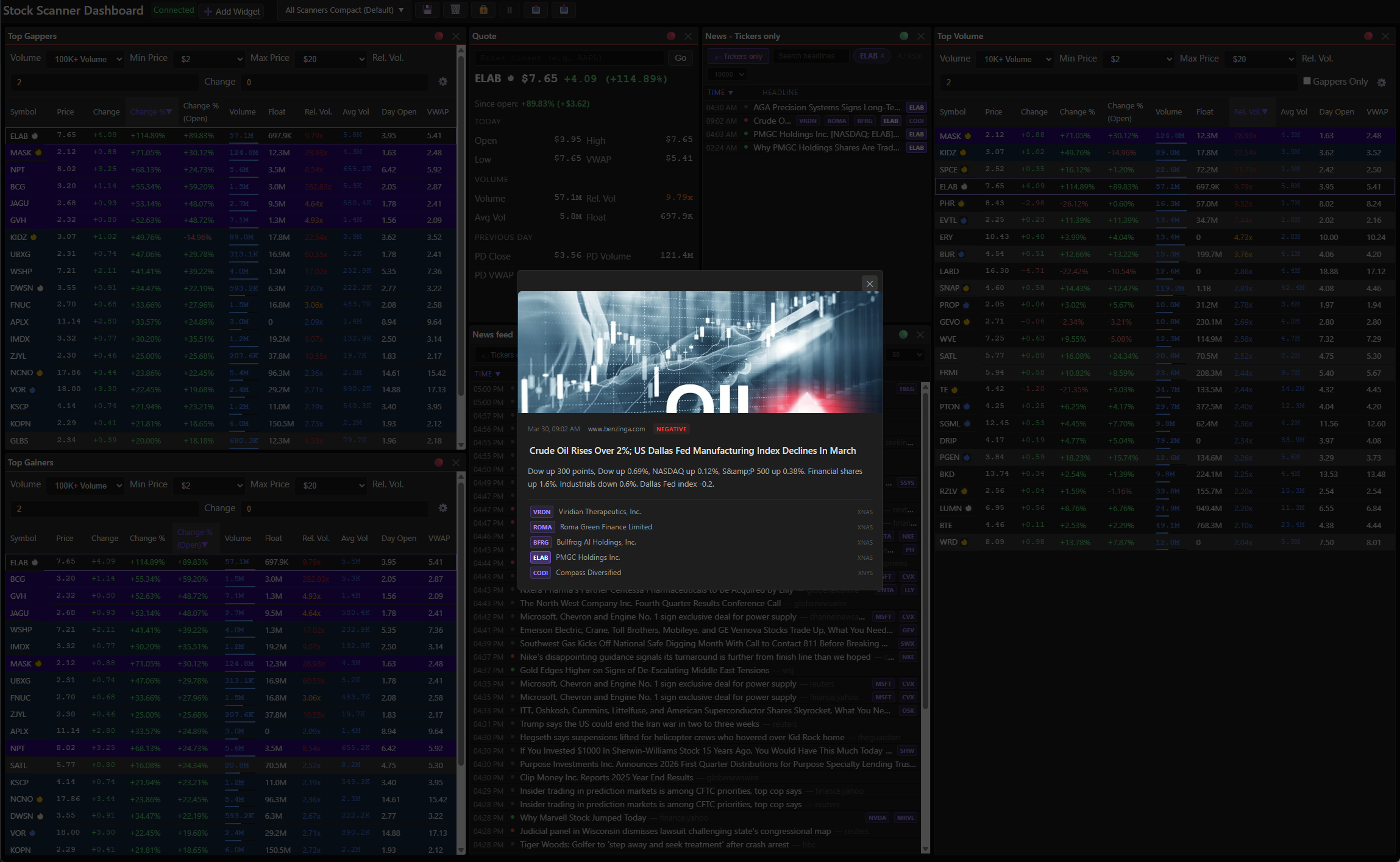
<p>The feed is real-time, text-only, sourced from Finlight’s WebSocket. Every headline shows the source publication with a clickable link. Headlines include a sentiment rating. Not a replacement for reading, but useful for quick scanning.</p>

<p><img src="/assets/images/posts/stock-selection-why-news-matters/img-02.png" alt="" />
<em>Screenshot: Headlines, tickers, timestamps, and sentiment — everything you need to know at a glance before you even click anything</em></p>
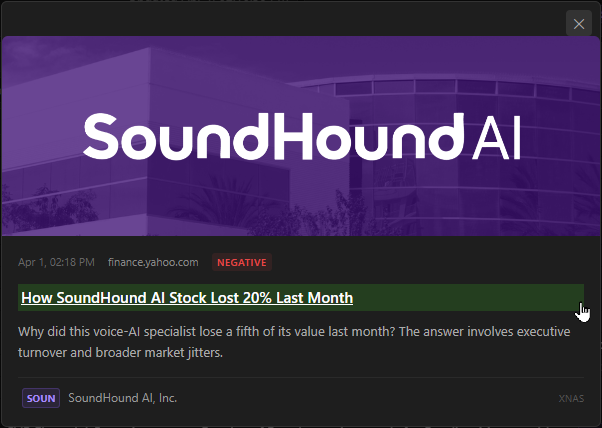
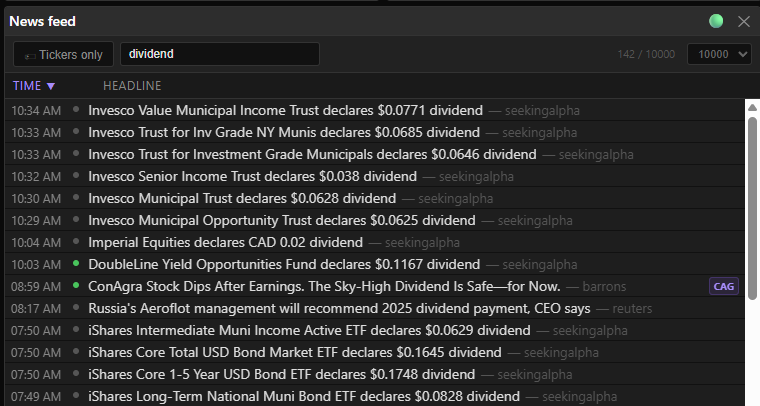
<p>Click a row and you get a popup with an image (if there is one), the article link, and a synopsis. Text is selectable and copyable — no fighting the UI to grab a headline.</p>

<p><img src="/assets/images/posts/stock-selection-why-news-matters/img-03.png" alt="" />
<em>Screenshot: The popup keeps you in the dashboard — read the headline, decide if it matters, move on.</em></p>
<p><img src="/assets/images/posts/stock-selection-why-news-matters/img-04.png" alt="" />
<em>Screenshot: The popup gives you source, headline, and a blurb — enough to decide if it’s worth a click.</em></p>
<p><strong>What you can do</strong>:</p>
<ul>
  <li>Search by headline text</li>
  <li>Filter to a specific ticker</li>
</ul>

<p><img src="/assets/images/posts/stock-selection-why-news-matters/img-05.png" alt="" />
<em>Screenshot: Type ‘dividend’ and you get 142 hits instantly — the filter is live, not a form submit.</em></p>

<p><strong>What you can customize:</strong></p>
<ul>
  <li>Filter to only articles with ticker matches (cuts the noise fast)</li>
  <li>Article cache limit: 50 to 10K — 10K spans multiple days, useful for building context on a position</li>
  <li>Widget title</li>
  <li>All of it persists to named layouts</li>
</ul>

<hr />

<h2 id="the-flame-system">The Flame System</h2>

<p>This is my favorite part of the implementation.</p>

<p>Outside the news feed widget itself, every ticker in MDP’s scanner widgets gets a flame icon showing how fresh its most recent news is:</p>

<table>
  <thead>
    <tr>
      <th>Flame</th>
      <th>Age</th>
      <th>Active Catalyst?</th>
      <th>Relevance?</th>
    </tr>
  </thead>
  <tbody>
    <tr>
      <td><img src="/assets/images/posts/stock-selection-why-news-matters/flame-red.svg" alt="" /> Red</td>
      <td>&lt; 1 hour</td>
      <td>✅</td>
      <td>Freshest catalyst — highest potential</td>
    </tr>
    <tr>
      <td><img src="/assets/images/posts/stock-selection-why-news-matters/flame-orange.svg" alt="" /> Orange</td>
      <td>1–3 hours</td>
      <td>✅</td>
      <td>Very fresh — still early in the move</td>
    </tr>
    <tr>
      <td><img src="/assets/images/posts/stock-selection-why-news-matters/flame-yellow.svg" alt="" /> Yellow</td>
      <td>3–12 hours</td>
      <td>✅</td>
      <td>Same-session catalyst — confirm price still reacting</td>
    </tr>
    <tr>
      <td><img src="/assets/images/posts/stock-selection-why-news-matters/flame-white.svg" alt="" /> White</td>
      <td>12–24 hours</td>
      <td>✅</td>
      <td>Multi-session/gap catalyst — check if still driving momentum</td>
    </tr>
    <tr>
      <td><img src="/assets/images/posts/stock-selection-why-news-matters/flame-blue.svg" alt="" /> Blue</td>
      <td>1–3 days</td>
      <td>❌</td>
      <td>Day-old+ news — momentum may be fading</td>
    </tr>
    <tr>
      <td><img src="/assets/images/posts/stock-selection-why-news-matters/flame-dark.svg" alt="" /> Dark</td>
      <td>&gt; 3 days</td>
      <td>❌</td>
      <td>Stale — not a MOMO catalyst</td>
    </tr>
    <tr>
      <td><em>(no icon)</em></td>
      <td>No news</td>
      <td>—</td>
      <td> </td>
    </tr>
  </tbody>
</table>

<p>No icon doesn’t mean stale. It means <em>no news exists</em> — which is its own signal.</p>

<p>The first four tiers (red through white) are active catalysts. Blue and dark are background context. That distinction matters when you’re scanning 50 tickers and trying to find the ones worth watching right now.</p>

<hr />

<h2 id="what-else-shipped">What Else Shipped</h2>

<p>The news feed wasn’t the only thing that landed in this release. A few other things worth mentioning:</p>

<h3 id="widget-linking">Widget linking</h3>

<p>Widgets can be linked on a shared color bus. Change the symbol in one linked widget and it propagates to the others. Makes navigating between scanners, news, and quotes frictionless.</p>

<p><img src="/assets/images/posts/stock-selection-why-news-matters/img-06.png" alt="" />
<em>Screenshot: Red bus = these three widgets talk to each other. When one ticker changes, they all update.</em></p>
<h3 id="quote-widget">Quote widget</h3>

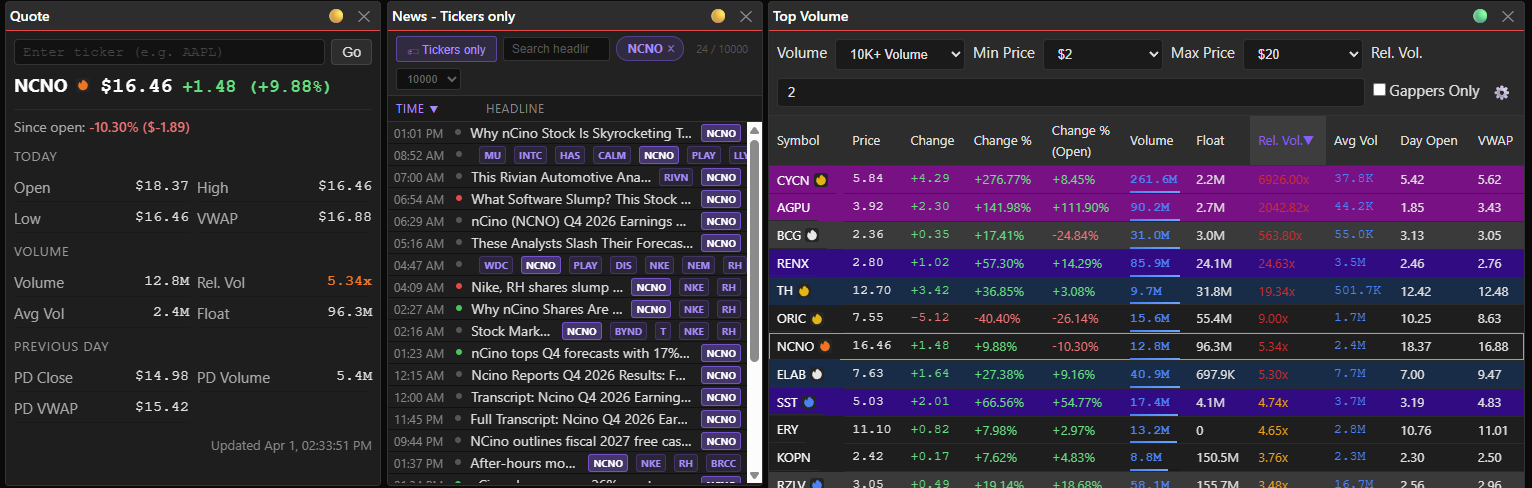
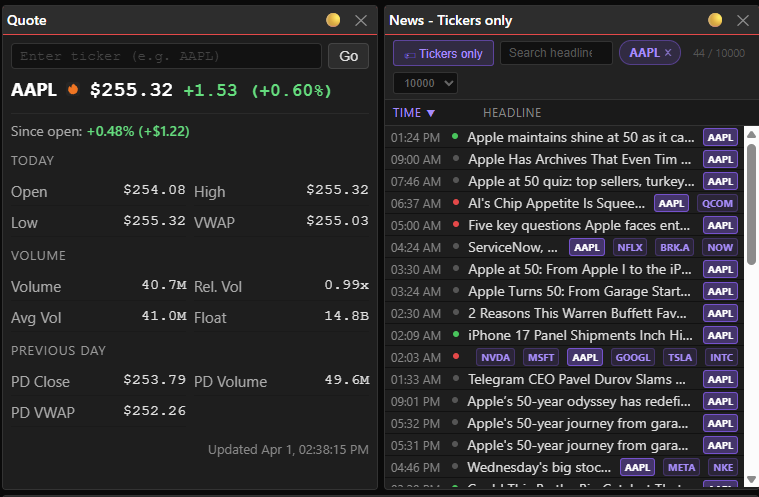
<p>Enter a symbol or link it to another widget, and you get real-time quote data. Simple, fast, does what it says. What I love about this: MDP already maintains real-time quote data for every stock in the market. The quote widget is the first way to actually surface it for tickers that aren’t on any scanner. That data was always there — now I can use it.</p>

<p><img src="/assets/images/posts/stock-selection-why-news-matters/img-07.png" alt="" />
<em>Screenshot: AAPL’s on the color bus — the quote loaded, the news followed, and that <img src="/assets/images/posts/stock-selection-why-news-matters/flame-orange.svg" alt="" /> means something happened recently worth knowing about.</em></p>

<h3 id="layout-lock--toggle-autosave">Layout lock + toggle autosave</h3>

<p>Lock the layout so you don’t accidentally drag things around during a session. Toggle autosave so changes persist (or don’t) on your terms.</p>

<p><img src="/assets/images/posts/stock-selection-why-news-matters/img-08.png" alt="" /><br />
<em>Screenshot: Lock it when you’re done arranging — now your widgets stay put even if you accidentally click and drag.</em></p>

<p>Click the lock icon to unlock the layout and enable edit mode</p>

<hr />

<p><img src="/assets/images/posts/stock-selection-why-news-matters/img-09.png" alt="" /><br />
<em>Screenshot: Pencil = edit mode. This is where you drag things around and resize until it stops annoying you</em></p>

<p>Click the pencil icon to lock the layout.</p>

<hr />

<p><img src="/assets/images/posts/stock-selection-why-news-matters/img-10.png" alt="" /><br />
<em>Screenshot: Pause disables the autosave functionality — handy when you want to make a variant of an existing layout</em></p>

<p>Click the pause icon to enable autosave</p>

<hr />

<p><img src="/assets/images/posts/stock-selection-why-news-matters/img-11.png" alt="" /><br />
<em>Screenshot: With autosave enabled, any changes you make to your layout or filters will automatically be saved.</em></p>

<p>Click the autosave icon to disable autosave.</p>

<h3 id="full-scanner-widget-customization">Full scanner widget customization</h3>

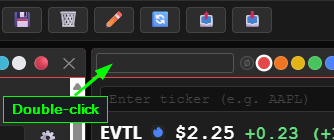
<p>All controls on the scanners can now be set to custom values and saved in your layout.  Each widget has a name. Widgets with the same name share saved settings — so if you want a widget to keep its own config, give it a unique name. Double-click the title (long-press on mobile) to rename. You can also resize and hide columns.</p>

<p><img src="/assets/images/posts/stock-selection-why-news-matters/img-12.png" alt="" /><br />
<em>Screenshot: Double-click the title bar and it goes blank — type whatever makes sense for your setup.</em></p>

<p><img src="/assets/images/posts/stock-selection-why-news-matters/img-13.png" alt="" />
<em>Screenshot: Gear → column visibility. Show what’s relevant, hide the noise — each scanner can have its own config.</em></p>

<h3 id="data-freshness-icon">Data freshness icon</h3>

<p>All widgets show a status icon that covers both data freshness and connection state.</p>

<p>Every widget header shows this at a glance:</p>

<table>
  <thead>
    <tr>
      <th>Icon</th>
      <th>Meaning</th>
      <th> </th>
    </tr>
  </thead>
  <tbody>
    <tr>
      <td>🟢</td>
      <td>Live — data received in the last 5 seconds</td>
      <td> </td>
    </tr>
    <tr>
      <td>🟡</td>
      <td>Slowing — last update 5–60 seconds ago</td>
      <td> </td>
    </tr>
    <tr>
      <td>🔴</td>
      <td>Stale — no data for over 60 seconds</td>
      <td> </td>
    </tr>
    <tr>
      <td>🔵 / 🟣</td>
      <td>Reconnecting (pulsing)</td>
      <td> </td>
    </tr>
    <tr>
      <td>❌</td>
      <td>Disconnected</td>
      <td> </td>
    </tr>
  </tbody>
</table>

<h3 id="free-float-cleanup">Free float cleanup</h3>

<p>Free float data was previously pulling from an experimental API via raw aiohttp. It’s now going through <a href="https://github.com/massive-com/client-python">Massive’s RESTClient</a> instead. Still an experimental API on the data side, but the client layer is cleaner and it’s been solid in practice.</p>

<hr />

<h2 id="whats-next">What’s Next</h2>

<p>Pillar five is done. Now I get to use it.</p>

<p>The plan is to build scanners that correlate price action with news catalysts — real-time alerts when a ticker is making a move <em>and</em> has a fresh news event. The flame system already lays the groundwork. Next step is wiring it to alert logic and letting it tell me when something’s worth looking at.</p>]]></content><author><name>Tom Pounders</name></author><category term="Side Projects" /><category term="stocks" /><category term="trading" /><category term="market-data" /><summary type="html"><![CDATA[You can't trade context you don't have — and the fifth pillar of stock selection just landed. MDP now has real-time news, sentiment scoring, and a flame system that tells you not just when news exists, but when it doesn't.]]></summary></entry><entry><title type="html">I Caught My AI Lying About Math (Confidently)</title><link href="https://oldschool-engineer.dev/ai/2026/03/23/i-caught-my-ai-lying-about-math-confidently.html" rel="alternate" type="text/html" title="I Caught My AI Lying About Math (Confidently)" /><published>2026-03-23T00:00:00+00:00</published><updated>2026-03-23T00:00:00+00:00</updated><id>https://oldschool-engineer.dev/ai/2026/03/23/i-caught-my-ai-lying-about-math-confidently</id><content type="html" xml:base="https://oldschool-engineer.dev/ai/2026/03/23/i-caught-my-ai-lying-about-math-confidently.html"><![CDATA[<p>This morning, <a href="/ai/2026/03/04/who-is-legion.html">Legion</a> — my <a href="https://docs.openclaw.ai/">OpenClaw</a> AI assistant — computed my trade journal P&amp;L and got it wrong. Not a little wrong. Obviously wrong. Off by 33%, delivered with complete confidence.</p>

<p>I caught it because I happened to glance at the numbers. Called it out. Legion acknowledged the error, spun up Python, recomputed, and updated the journal. All very civilized.</p>

<p>But I sat there for a minute thinking: <em>how often does this happen when I don’t check?</em></p>

<p>That question bothered me enough that I spent the afternoon running tests.</p>

<hr />

<h2 id="what-i-assumed-going-in">What I Assumed Going In</h2>

<p>My going-in theory: LLMs choke on big numbers. Five digits and up, things get sketchy. Keep the operands small and you’re fine.</p>

<p>I was wrong.</p>

<h2 id="the-test">The Test</h2>

<p>Ten rounds, 41 problems, all multiplication. I varied two things: operand size and number of steps. Model solves, Python verifies.</p>

<table>
  <thead>
    <tr>
      <th>Round</th>
      <th>Conditions</th>
      <th>Score</th>
    </tr>
  </thead>
  <tbody>
    <tr>
      <td>1</td>
      <td>Up to 65,535 / 1-2 steps</td>
      <td>3/3</td>
    </tr>
    <tr>
      <td>2</td>
      <td>5-digit / 2-6 steps</td>
      <td>0/4</td>
    </tr>
    <tr>
      <td>3</td>
      <td>4-digit / 2-6 steps</td>
      <td>0/4</td>
    </tr>
    <tr>
      <td>4</td>
      <td>3-digit / 2-6 steps</td>
      <td>1/4</td>
    </tr>
    <tr>
      <td>5</td>
      <td>2-3 digit / 2-6 steps</td>
      <td>1/4</td>
    </tr>
    <tr>
      <td>6</td>
      <td>1-digit (with one 2-digit) / 2-6 steps</td>
      <td>3/4</td>
    </tr>
    <tr>
      <td>7</td>
      <td>1-digit only / 3-5 steps</td>
      <td>4/4</td>
    </tr>
    <tr>
      <td>8</td>
      <td>1-2 digit mixed / 4-6 steps</td>
      <td>4/4</td>
    </tr>
    <tr>
      <td>9</td>
      <td>1-2 digit, larger values / 6 steps</td>
      <td>2/4</td>
    </tr>
    <tr>
      <td>10</td>
      <td>1-2 digit / 5-7 steps</td>
      <td>2/4</td>
    </tr>
  </tbody>
</table>

<p>Final score: 20 out of 41. 49%. Coin flip.</p>

<p>Detailed analysis and results here: <a href="/ai/2026/03/23/llm-math-test-report.html">LLM Arithmetic Reliability Test — 2026-03-23</a></p>

<hr />

<h2 id="what-actually-breaks-it">What Actually Breaks It</h2>

<p>Large numbers break it, sure. Rounds 2 and 3 were a complete wipeout. My theory looked right.</p>

<p>Then there’s Round 1: numbers up to 65,535. That <em>is</em> five digits — and it went 3/3. Why? One to two steps. That’s the variable I wasn’t paying attention to.</p>

<p>Look at rounds 7 and 8 versus 9 and 10. All single and double-digit operands throughout. Rounds 7 and 8: perfect. Rounds 9 and 10: half wrong. The only difference is more steps.</p>

<p>The model handles <code class="language-plaintext highlighter-rouge">8 × 6 × 5 = 240</code> without breaking a sweat. Give it <code class="language-plaintext highlighter-rouge">23 × 7 × 35 × 8 × 7 × 9</code> — all one or two digits — and it falls apart. The actual answer is <code class="language-plaintext highlighter-rouge">2,840,040</code>. It gave me <code class="language-plaintext highlighter-rouge">28,282,200</code>. That’s not a rounding error. That’s off by a factor of ten.</p>

<p>Real failure modes: big numbers, and too many steps. The step count is the one I wasn’t testing for, and it’s the one that will burn you. Financial calculations almost always chain multiple operations together.</p>

<h2 id="the-part-that-actually-worries-me">The Part That Actually Worries Me</h2>

<p>When the model got something wrong, it didn’t hedge. No “I’m not confident here.” No “you should verify this.” Same tone, same confidence, same presentation as the correct answers. There was no signal I could read to distinguish a right answer from a wrong one.</p>

<p>Then I asked it to grade its own work. It passed itself. Partial credit here, “close enough” there, rounding tolerance everywhere — its self-assessed score was well above 49%. My strict pass/fail brought it back to earth.</p>

<p>The model wasn’t lying. It genuinely believed it was right.</p>

<p>That’s worse.</p>

<p>Not that it fails — everything fails sometimes. The dangerous part is it doesn’t know when it’s failing, and neither do you.</p>

<h2 id="what-im-doing-about-it">What I’m Doing About It</h2>

<p>Simple rule: no inference arithmetic. When I need a number, the model writes Python and runs it. Every time. No exceptions.</p>

<p>I made that explicit in my AI’s standing instructions. For P&amp;L, position sizing, R:R calculations — any financial figure — the number in the journal comes from the interpreter, not from inference.</p>

<p>Small discipline change. The alternative is trusting a coin flip with financial data, which isn’t acceptable.</p>

<h2 id="the-broader-point">The Broader Point</h2>

<p>I’d filed “big numbers are risky” under solved and moved on. My data says I was overconfident.</p>

<p>Better frame: any arithmetic with multiple steps is unreliable, regardless of how small the individual numbers look.</p>

<p>One or two multiplications? Usually fine. Chain four or more? Verify it.</p>

<p>The model doesn’t know it’s wrong. It won’t warn you. Ask it to check its own work and it’ll grade itself on a curve.</p>

<p>One rule: if the number matters, run the code. Full stop.</p>]]></content><author><name>Tom Pounders</name></author><category term="AI" /><category term="ai" /><category term="openclaw" /><category term="llm" /><category term="legion" /><summary type="html"><![CDATA[This morning, my OpenClaw AI assistant computed my trade journal P&L and got it wrong. Not a little wrong. Obviously wrong. Off by 33%, delivered with complete confidence.]]></summary></entry><entry><title type="html">LLM Arithmetic Reliability Test — 2026-03-23</title><link href="https://oldschool-engineer.dev/ai/2026/03/23/llm-math-test-report.html" rel="alternate" type="text/html" title="LLM Arithmetic Reliability Test — 2026-03-23" /><published>2026-03-23T00:00:00+00:00</published><updated>2026-03-23T00:00:00+00:00</updated><id>https://oldschool-engineer.dev/ai/2026/03/23/llm-math-test-report</id><content type="html" xml:base="https://oldschool-engineer.dev/ai/2026/03/23/llm-math-test-report.html"><![CDATA[<p><strong>Model:</strong> Claude Sonnet 4.6 (This model was chosen because it is the default model that I use for OpenClaw.)<br />
<strong>Tester:</strong> Tom Pounders<br />
<strong>Date:</strong> March 23, 2026<br />
<strong>Total problems:</strong> 41<br />
<strong>Overall accuracy:</strong> 20/41 = <strong>49%</strong></p>

<hr />

<h2 id="executive-summary">Executive Summary</h2>

<p>This test evaluated whether a large language model (LLM) can reliably perform arithmetic by inference — without code execution or a calculator. The results reveal two distinct failure modes:</p>

<ol>
  <li>
    <p><strong>Large numbers (3+ digits):</strong> Accuracy collapses even on 2-3 step problems. The model can approximate order of magnitude but cannot reliably compute exact values.</p>
  </li>
  <li>
    <p><strong>Many steps (4+ operands), even with small numbers:</strong> Errors compound multiplicatively through the chain. A model that correctly computes <code class="language-plaintext highlighter-rouge">8 × 6 × 5 = 240</code> will fail <code class="language-plaintext highlighter-rouge">23 × 7 × 35 × 8 × 7 = ?</code> even though all operands are ≤2 digits.</p>
  </li>
</ol>

<p>The most operationally dangerous finding: <strong>wrong answers arrive with the same apparent confidence as correct ones.</strong> There is no internal signal to distinguish a reliable result from a plausible-sounding error. This means an LLM cannot self-audit its own arithmetic.</p>

<p><strong>Practical implication:</strong> LLMs must never be trusted to compute arithmetic by inference for any purpose where correctness matters. Code execution (Python, calculator) is mandatory.</p>

<hr />

<h2 id="key-findings">Key Findings</h2>

<h3 id="finding-1-number-size-vs-step-count">Finding 1: Number Size vs. Step Count</h3>

<p>The initial hypothesis — that LLMs fail only on large numbers — is <strong>partially correct but incomplete.</strong></p>

<table>
  <thead>
    <tr>
      <th>Condition</th>
      <th>Observed Accuracy</th>
    </tr>
  </thead>
  <tbody>
    <tr>
      <td>Single-digit operands, ≤5 steps</td>
      <td>~85-100%</td>
    </tr>
    <tr>
      <td>2-digit operands, ≤3 steps</td>
      <td>~75%</td>
    </tr>
    <tr>
      <td>2-digit operands, 4-6 steps</td>
      <td>~50%</td>
    </tr>
    <tr>
      <td>3-digit operands, any steps</td>
      <td>~25%</td>
    </tr>
    <tr>
      <td>4-5 digit operands, any steps</td>
      <td>~0%</td>
    </tr>
  </tbody>
</table>

<p>Step count is an independent failure axis from number size. Both degrade accuracy; together they make inference arithmetic essentially unreliable.</p>

<h3 id="finding-2-errors-compound-multiplicatively">Finding 2: Errors Compound Multiplicatively</h3>

<p>Each intermediate multiplication step introduces a small rounding or carry error. In a 2-step chain, a 0.1% error in step 1 produces a 0.1% error in the result. In a 6-step chain, errors from each step multiply together — a 1% error per step produces a ~6% cumulative error, and in practice the errors are larger and irregular.</p>

<p>This was demonstrated clearly: <code class="language-plaintext highlighter-rouge">c = 23 × 7 × 35 × 8 × 7 × 9</code> produced an answer off by a factor of 10 (28,282,200 vs. actual 2,840,040) — not a small rounding error, but a completely wrong magnitude caused by a dropped digit mid-chain.</p>

<h3 id="finding-3-no-reliable-self-awareness-of-error">Finding 3: No Reliable Self-Awareness of Error</h3>

<p>Across all rounds, the model expressed similar confidence in wrong answers and correct answers. It did not hedge more on 6-operand chains than on 2-operand chains. It did not flag intermediate uncertainty. This is the critical failure: <strong>the model does not know when it is wrong.</strong></p>

<p>This is structurally different from human arithmetic errors. A human doing mental math on a 6-step chain knows they might have made a mistake and will often double-check. The LLM presents its result as complete and final regardless of reliability.</p>

<h3 id="finding-4-division-is-relatively-stable-at-small-scales">Finding 4: Division Is Relatively Stable at Small Scales</h3>

<p>Problems involving division followed by a single multiplication (e.g., <code class="language-plaintext highlighter-rouge">(546 / 3) × 165</code>) were among the most consistently correct, especially when the divisor was small and clean (÷3, ÷7). This likely reflects these patterns appearing frequently in training data (fractions, percentages, ratios).</p>

<h3 id="finding-5-the-close-enough-trap">Finding 5: The “Close Enough” Trap</h3>

<p>In early rounds, the model scored its own performance generously, calling results “very close” and awarding checkmarks for approximate answers. Applying a strict pass/fail rubric — correct or wrong, no partial credit — revealed the true 49% accuracy rate. In financial, scientific, or engineering contexts, “close” is not passing. The model’s self-assessment was systematically optimistic.</p>

<hr />

<h2 id="operational-rules-derived-from-test-results">Operational Rules (Derived from Test Results)</h2>

<ol>
  <li><strong>Never compute arithmetic by inference.</strong> Use <code class="language-plaintext highlighter-rouge">exec</code> + Python for all calculations.</li>
  <li><strong>No exceptions for “simple” problems.</strong> The failure mode appears at 2-digit numbers with 4+ steps — a threshold easily crossed in real work.</li>
  <li><strong>Compute first, write second.</strong> Never report a number that wasn’t produced by code execution.</li>
  <li><strong>Do not self-score as “close.”</strong> A wrong answer is a wrong answer regardless of magnitude of error.</li>
</ol>

<p>These rules have been recorded in MEMORY.md, TOOLS.md, and AGENTS.md for persistent enforcement.</p>

<hr />

<h2 id="appendix-full-test-results">Appendix: Full Test Results</h2>

<h3 id="round-1--numbers-up-to-65535-1-2-steps">Round 1 — Numbers up to 65,535, 1-2 steps</h3>
<p><em>Score: 3/3</em></p>

<table>
  <thead>
    <tr>
      <th>Problem</th>
      <th>Inference Answer</th>
      <th>Actual</th>
      <th>Correct?</th>
    </tr>
  </thead>
  <tbody>
    <tr>
      <td>100 + 10,000 + 65,535</td>
      <td>75,635</td>
      <td>75,635</td>
      <td>✅</td>
    </tr>
    <tr>
      <td>18,365 × 92,568</td>
      <td>1,700,011,320</td>
      <td>1,700,011,320</td>
      <td>✅</td>
    </tr>
    <tr>
      <td>98,765 ÷ 247</td>
      <td>≈399.86</td>
      <td>399.858…</td>
      <td>✅</td>
    </tr>
  </tbody>
</table>

<p><em>Note: This round used addition and single multiplication — lower complexity than subsequent rounds.</em></p>

<hr />

<h3 id="round-2--5-digit-numbers-2-6-steps">Round 2 — 5-digit numbers, 2-6 steps</h3>
<p><em>Score: 0/4</em></p>

<table>
  <thead>
    <tr>
      <th>Problem</th>
      <th>Inference Answer</th>
      <th>Actual</th>
      <th>Correct?</th>
    </tr>
  </thead>
  <tbody>
    <tr>
      <td>89,153 × 68,966 × 15,326</td>
      <td>~94,178,000,000,000</td>
      <td>94,232,306,380,148</td>
      <td>❌</td>
    </tr>
    <tr>
      <td>(89,653 × 15,691) × 62,168</td>
      <td>~87,500,000,000,000</td>
      <td>87,454,537,023,464</td>
      <td>❌</td>
    </tr>
    <tr>
      <td>(15,463 / 3) × 1,654</td>
      <td>~8,521,000</td>
      <td>8,525,267.33</td>
      <td>❌</td>
    </tr>
    <tr>
      <td>1,655 × 1,316 × 6,546 × 41,216 × 6,515 × 1,651</td>
      <td>~2.4 × 10²¹</td>
      <td>6,320,584,226,736,537,139,200</td>
      <td>❌</td>
    </tr>
  </tbody>
</table>

<hr />

<h3 id="round-3--4-digit-numbers-2-6-steps">Round 3 — 4-digit numbers, 2-6 steps</h3>
<p><em>Score: 0/4</em></p>

<table>
  <thead>
    <tr>
      <th>Problem</th>
      <th>Inference Answer</th>
      <th>Actual</th>
      <th>Correct?</th>
    </tr>
  </thead>
  <tbody>
    <tr>
      <td>8,953 × 8,966 × 5,326</td>
      <td>~427,800,000,000</td>
      <td>427,531,856,948</td>
      <td>❌</td>
    </tr>
    <tr>
      <td>(9,653 × 1,569) × 6,268</td>
      <td>~94,950,000,000</td>
      <td>94,932,351,276</td>
      <td>❌</td>
    </tr>
    <tr>
      <td>(5,463 / 3) × 1,654</td>
      <td>~3,010,000</td>
      <td>3,011,934</td>
      <td>❌</td>
    </tr>
    <tr>
      <td>655 × 316 × 546 × 1,216 × 515 × 651</td>
      <td>~5.8 × 10¹⁶</td>
      <td>46,072,610,239,219,200</td>
      <td>❌</td>
    </tr>
  </tbody>
</table>

<hr />

<h3 id="round-4--3-digit-numbers-2-6-steps">Round 4 — 3-digit numbers, 2-6 steps</h3>
<p><em>Score: 1/4</em></p>

<table>
  <thead>
    <tr>
      <th>Problem</th>
      <th>Inference Answer</th>
      <th>Actual</th>
      <th>Correct?</th>
    </tr>
  </thead>
  <tbody>
    <tr>
      <td>893 × 966 × 326</td>
      <td>281,481,588</td>
      <td>281,219,988</td>
      <td>❌</td>
    </tr>
    <tr>
      <td>(653 × 156) × 628</td>
      <td>63,933,264</td>
      <td>63,973,104</td>
      <td>❌</td>
    </tr>
    <tr>
      <td>(546 / 3) × 165</td>
      <td>30,030</td>
      <td>30,030</td>
      <td>✅</td>
    </tr>
    <tr>
      <td>55 × 16 × 54 × 216 × 15 × 51</td>
      <td>330,301,440</td>
      <td>7,852,204,800</td>
      <td>❌</td>
    </tr>
  </tbody>
</table>

<hr />

<h3 id="round-5--2-3-digit-numbers-2-6-steps">Round 5 — 2-3 digit numbers, 2-6 steps</h3>
<p><em>Score: 1/4</em></p>

<table>
  <thead>
    <tr>
      <th>Problem</th>
      <th>Inference Answer</th>
      <th>Actual</th>
      <th>Correct?</th>
    </tr>
  </thead>
  <tbody>
    <tr>
      <td>83 × 866 × 56</td>
      <td>4,026,128</td>
      <td>4,025,168</td>
      <td>❌</td>
    </tr>
    <tr>
      <td>(53 × 7) × 626</td>
      <td>232,414</td>
      <td>232,246</td>
      <td>❌</td>
    </tr>
    <tr>
      <td>54 × (89/7) × 23</td>
      <td>15,822</td>
      <td>15,791.14</td>
      <td>❌</td>
    </tr>
    <tr>
      <td>65 × 36 × 46 × 26 × 55 × 61</td>
      <td>977,042,400</td>
      <td>9,389,437,200</td>
      <td>❌</td>
    </tr>
  </tbody>
</table>

<hr />

<h3 id="round-6--1-digit-numbers-2-6-steps">Round 6 — 1-digit numbers, 2-6 steps</h3>
<p><em>Score: 3/4</em></p>

<table>
  <thead>
    <tr>
      <th>Problem</th>
      <th>Inference Answer</th>
      <th>Actual</th>
      <th>Correct?</th>
    </tr>
  </thead>
  <tbody>
    <tr>
      <td>8 × 6 × 5</td>
      <td>240</td>
      <td>240</td>
      <td>✅</td>
    </tr>
    <tr>
      <td>5 × 7 × 2</td>
      <td>70</td>
      <td>70</td>
      <td>✅</td>
    </tr>
    <tr>
      <td>4 × (8/7) × 3</td>
      <td>13.714…</td>
      <td>13.7143</td>
      <td>✅</td>
    </tr>
    <tr>
      <td>6 × 3 × 6 × 26 × 5 × 6</td>
      <td>100,440</td>
      <td>84,240</td>
      <td>❌</td>
    </tr>
  </tbody>
</table>

<p><em>Note: Failure on <code class="language-plaintext highlighter-rouge">d</code> introduced <code class="language-plaintext highlighter-rouge">26</code> (2-digit) into otherwise single-digit chain.</em></p>

<hr />

<h3 id="round-7--1-digit-only-3-5-steps">Round 7 — 1-digit only, 3-5 steps</h3>
<p><em>Score: 4/4</em></p>

<table>
  <thead>
    <tr>
      <th>Problem</th>
      <th>Inference Answer</th>
      <th>Actual</th>
      <th>Correct?</th>
    </tr>
  </thead>
  <tbody>
    <tr>
      <td>8 × 6 × 5</td>
      <td>240</td>
      <td>240</td>
      <td>✅</td>
    </tr>
    <tr>
      <td>5 × 7 × 2 × 4</td>
      <td>280</td>
      <td>280</td>
      <td>✅</td>
    </tr>
    <tr>
      <td>4 × 8 × 33 × 9</td>
      <td>9,504</td>
      <td>9,504</td>
      <td>✅</td>
    </tr>
    <tr>
      <td>6 × 7 × 6 × 6 × 5</td>
      <td>7,560</td>
      <td>7,560</td>
      <td>✅</td>
    </tr>
  </tbody>
</table>

<hr />

<h3 id="round-8--1-2-digit-mixed-4-6-steps">Round 8 — 1-2 digit mixed, 4-6 steps</h3>
<p><em>Score: 4/4</em></p>

<table>
  <thead>
    <tr>
      <th>Problem</th>
      <th>Inference Answer</th>
      <th>Actual</th>
      <th>Correct?</th>
    </tr>
  </thead>
  <tbody>
    <tr>
      <td>4 × 46 × 33 × 9</td>
      <td>54,648</td>
      <td>54,648</td>
      <td>✅</td>
    </tr>
    <tr>
      <td>9 × 8 × 3 × 8 × 3</td>
      <td>5,184</td>
      <td>5,184</td>
      <td>✅</td>
    </tr>
    <tr>
      <td>5 × 6 × 3 × 19 × 8</td>
      <td>13,680</td>
      <td>13,680</td>
      <td>✅</td>
    </tr>
    <tr>
      <td>6 × 7 × 6 × 6 × 5 × 7</td>
      <td>52,920</td>
      <td>52,920</td>
      <td>✅</td>
    </tr>
  </tbody>
</table>

<hr />

<h3 id="round-9--1-2-digit-larger-2-digit-values-6-steps">Round 9 — 1-2 digit, larger 2-digit values, 6 steps</h3>
<p><em>Score: 2/4</em></p>

<table>
  <thead>
    <tr>
      <th>Problem</th>
      <th>Inference Answer</th>
      <th>Actual</th>
      <th>Correct?</th>
    </tr>
  </thead>
  <tbody>
    <tr>
      <td>8 × 5 × 3 × 8 × 7 × 2</td>
      <td>13,440</td>
      <td>13,440</td>
      <td>✅</td>
    </tr>
    <tr>
      <td>7 × 4 × 36 × 5 × 2 × 9</td>
      <td>90,720</td>
      <td>90,720</td>
      <td>✅</td>
    </tr>
    <tr>
      <td>23 × 7 × 35 × 8 × 7 × 9</td>
      <td>28,282,200</td>
      <td>2,840,040</td>
      <td>❌</td>
    </tr>
    <tr>
      <td>58 × 65 × 23 × 80 × 57 × 32</td>
      <td>12,643,430,400</td>
      <td>12,652,723,200</td>
      <td>❌</td>
    </tr>
  </tbody>
</table>

<hr />

<h3 id="round-10--1-2-digit-5-7-steps">Round 10 — 1-2 digit, 5-7 steps</h3>
<p><em>Score: 2/4</em></p>

<table>
  <thead>
    <tr>
      <th>Problem</th>
      <th>Inference Answer</th>
      <th>Actual</th>
      <th>Correct?</th>
    </tr>
  </thead>
  <tbody>
    <tr>
      <td>8 × 5 × 3 × 8 × 7 × 2 × 3</td>
      <td>40,320</td>
      <td>40,320</td>
      <td>✅</td>
    </tr>
    <tr>
      <td>9 × 7 × 4 × 36 × 5 × 2 × 9</td>
      <td>816,480</td>
      <td>816,480</td>
      <td>✅</td>
    </tr>
    <tr>
      <td>23 × 7 × 35 × 8 × 7</td>
      <td>314,440</td>
      <td>315,560</td>
      <td>❌</td>
    </tr>
    <tr>
      <td>58 × 65 × 23 × 80 × 32</td>
      <td>221,593,600</td>
      <td>221,977,600</td>
      <td>❌</td>
    </tr>
  </tbody>
</table>

<hr />

<h2 id="overall-summary-table">Overall Summary Table</h2>

<table>
  <thead>
    <tr>
      <th>Round</th>
      <th>Conditions</th>
      <th>Score</th>
    </tr>
  </thead>
  <tbody>
    <tr>
      <td>1</td>
      <td>Up to 65,535 / 1-2 steps</td>
      <td>3/3</td>
    </tr>
    <tr>
      <td>2</td>
      <td>5-digit / 2-6 steps</td>
      <td>0/4</td>
    </tr>
    <tr>
      <td>3</td>
      <td>4-digit / 2-6 steps</td>
      <td>0/4</td>
    </tr>
    <tr>
      <td>4</td>
      <td>3-digit / 2-6 steps</td>
      <td>1/4</td>
    </tr>
    <tr>
      <td>5</td>
      <td>2-3 digit / 2-6 steps</td>
      <td>1/4</td>
    </tr>
    <tr>
      <td>6</td>
      <td>1-digit (with one 2-digit) / 2-6 steps</td>
      <td>3/4</td>
    </tr>
    <tr>
      <td>7</td>
      <td>1-digit only / 3-5 steps</td>
      <td>4/4</td>
    </tr>
    <tr>
      <td>8</td>
      <td>1-2 digit mixed / 4-6 steps</td>
      <td>4/4</td>
    </tr>
    <tr>
      <td>9</td>
      <td>1-2 digit, larger values / 6 steps</td>
      <td>2/4</td>
    </tr>
    <tr>
      <td>10</td>
      <td>1-2 digit / 5-7 steps</td>
      <td>2/4</td>
    </tr>
    <tr>
      <td><strong>Total</strong></td>
      <td> </td>
      <td><strong>20/41 = 49%</strong></td>
    </tr>
  </tbody>
</table>

<hr />

<p><em>All inference answers provided without code execution; calculator answers verified via Python.</em></p>]]></content><author><name>Tom Pounders</name></author><category term="AI" /><category term="ai" /><category term="automation" /><category term="open-source" /><category term="llm" /><summary type="html"><![CDATA[This test evaluated whether a large language model (LLM) can reliably perform arithmetic by inference — without code execution or a calculator. The results reveal two distinct failure modes: large numbers (3+ digits) and many steps (4+ operands), even with small numbers]]></summary></entry><entry><title type="html">The NHI Time Bomb — Why AI Agents Are an Identity Crisis Waiting to Happen</title><link href="https://oldschool-engineer.dev/ai/security/identity/2026/03/10/the-nhi-time-bomb.html" rel="alternate" type="text/html" title="The NHI Time Bomb — Why AI Agents Are an Identity Crisis Waiting to Happen" /><published>2026-03-10T00:00:00+00:00</published><updated>2026-03-10T00:00:00+00:00</updated><id>https://oldschool-engineer.dev/ai/security/identity/2026/03/10/the-nhi-time-bomb</id><content type="html" xml:base="https://oldschool-engineer.dev/ai/security/identity/2026/03/10/the-nhi-time-bomb.html"><![CDATA[<h2 id="your-nhi-governance-wasnt-ready-for-ai-agents-neither-was-mine">Your NHI Governance Wasn’t Ready For AI Agents. Neither Was Mine.</h2>

<p>I’ve been watching credentials go unmanaged for twenty years. The current wave of AI agents isn’t different in kind — it’s different in scale. It’s the same governance gap, running at machine speed, across any org that’s touched an AI tool. You probably already have a ghost identity in your org. You just don’t know it yet.</p>

<p>I’ve been in the room when someone found active credentials tied to an engineer who left two years earlier — write access to production infra, still live, origin unknown. That’s what “we didn’t get ahead of it” looks like.</p>

<hr />

<h2 id="what-is-a-non-human-identity">What Is a Non-Human Identity?</h2>

<p>A Non-Human Identity (NHI) is any identity that isn’t a person — service accounts, API keys, PATs, OAuth client credentials, machine certificates, pipeline tokens, bot accounts. Every CI/CD pipeline, every microservice calling another microservice, every automated deployment job has one. Or several.</p>

<p>Before AI agents, the NHI problem was bad but bounded. A mid-sized engineering org has hundreds of NHIs. Ask your identity team how many. Watch the silence — some documented, many forgotten, a few terrifying.</p>

<p>AI agents change the dynamic. Radically.</p>

<hr />

<h2 id="the-explosion">The Explosion</h2>

<p>Traditional NHI growth was slow — tied to hiring cycles, project scopes, team headcount. An AI agent blows that model apart. It doesn’t onboard once. It mints credentials every time it needs to touch something new.</p>

<p>An AI agent, working autonomously at machine speed, can create or consume dozens of service credentials <em>per project</em>. Every API it needs to call. Every repo it needs to push to. Every secret it needs to read. Every cloud service it needs to touch.</p>

<p>Multiply that by the number of AI agents running in your org. Multiply that by every org that’s already running agents today and calling it a pilot. And unlike human identities — which have natural lifecycle events that trigger review (employee offboarding, role changes, terminations) — NHI lifecycles are entirely dependent on whoever created them remembering they exist. The engineer remembers the ticket. They forget the PAT. By the time anyone asks, the engineer’s gone and the token’s still live.</p>

<p>The Ghost Identity Problem: when the engineer who spun up that AI agent leaves the company, their machine user and its PATs don’t have an offboarding process. They just… persist. Quietly. With whatever access they had the day they were created.</p>

<hr />

<h2 id="the-hard-problem-governance-at-nondeterministic-scale">The Hard Problem: Governance at Nondeterministic Scale</h2>

<p>Traditional least privilege is hard enough. You define the minimum access a system needs, you issue credentials scoped to that access, you review periodically. It works — imperfectly, but it works — because the systems you’re securing are <em>deterministic</em>. They do exactly what you programmed them to do. You can enumerate their behaviors and scope their access accordingly.</p>

<p>AI agents are not deterministic.</p>

<p>A coding agent might need GitHub write access to push code. Fine — but to which repos? During what phase of work? When it’s doing exploratory research vs. when it’s opening a PR? The access profile of an AI agent isn’t static. It shifts with context. It shifts with the task. It shifts as the conversation history gets compacted.</p>

<p>How do you govern least privilege for a system whose behavior you cannot fully predict?</p>

<p>The honest answer is: you constrain the blast radius.</p>

<p>You can’t perfectly enumerate what an AI agent will do. You <em>can</em> ensure that what it does is limited to a defined boundary, that those boundaries are enforced by controls it cannot bypass, and that every action it takes is attributable to an identity you own and control.</p>

<p>That’s not least privilege in the classical sense. It’s <em>bounded privilege</em> — a different mental model for a nondeterministic actor.</p>

<hr />

<h2 id="what-good-looks-like">What Good Looks Like</h2>

<p>I run an AI agent (<a href="/ai/2026/03/04/who-is-legion.html">Legion</a>) that has GitHub access to my infrastructure repos. Here’s how I’ve structured it:</p>

<p><strong>1. Machine user, not my user</strong><br />
Legion authenticates to GitHub as <a href="https://github.com/kuhl-haus-legion"><code class="language-plaintext highlighter-rouge">kuhl-haus-legion</code></a> — a separate account I created specifically for it. It is not me. It does not have my permissions. If I revoke its access, I’m not revoking my own. If something goes wrong and I need to audit what it did, the entire commit history is attributable to a distinct identity.</p>

<p><strong>2. Write, never Admin</strong><br />
The machine user has <code class="language-plaintext highlighter-rouge">Write</code> collaborator access to the repos it needs. Write lets it push branches and open PRs. It cannot merge without my approval. It cannot delete branches. It cannot change org settings. It cannot add collaborators.</p>

<p><strong>3. Branch protection is the enforcement layer</strong><br />
Branch protection rules apply to the machine user just like they apply to any contributor. Require PR. Require approval. Block force pushes. Restrict deletions. The AI’s nondeterminism is bounded by the same controls that bound a human contributor.</p>

<p><strong>4. Fine-grained PAT with minimal scope</strong><br />
The token is scoped to specific repos, specific permissions. Code read/write. Issues. PRs. Not Actions, not secrets, not org admin. Every permission I didn’t explicitly grant is a capability the agent doesn’t have.</p>

<p><strong>5. Org-level enforcement</strong><br />
Every commit goes through a PR. Every PR is squash-merged. There’s a clean, auditable record of every change the agent made, with a human approval in the history.</p>

<p>The result: Legion can do real work — branch, commit, push, open PRs, respond to review comments, iterate. It can’t do catastrophic work. The blast radius is bounded.</p>

<hr />

<h2 id="for-enterprises-its-when-not-if">For Enterprises: It’s WHEN, Not IF</h2>

<p>What I’ve described above scales — but enterprises need to go further before they start, not after. If you’re reading this as an engineering leader, here’s the uncomfortable truth: you are going to use agentic AI.</p>

<p>What you need before you deploy agentic AI at scale:</p>

<ul>
  <li><strong>NHI inventory</strong>: Know what machine identities you already have. You probably don’t. Start there.</li>
  <li><strong>Lifecycle process for NHIs</strong>: Creation, rotation, review, revocation — tied to the project lifecycle, not the human lifecycle.</li>
  <li><strong>Machine user standards</strong>: Every AI agent gets its own identity. No shared service accounts. No minting from personal accounts.</li>
  <li><strong>Scope hygiene</strong>: Minimum permissions. Reviewed at creation and on a calendar. No “I’ll scope it down later.”</li>
  <li><strong>Audit trail</strong>: Every action taken by a machine identity should be attributable and searchable.</li>
  <li><strong>Break-glass procedures</strong>: When an agent does something unexpected, how fast can you revoke, contain, and audit?</li>
</ul>

<p>None of this is exotic. It’s IAM fundamentals applied to a new actor class. If you can’t answer “how many NHIs does your org have right now?” — that’s your starting point. Not the AI agent checklist. That.</p>

<hr />

<h2 id="the-bottom-line">The Bottom Line</h2>

<p>The identity explosion isn’t coming. It’s here. If you’ve had an AI agent running for more than six months and haven’t audited its credentials — you already have a ghost identity. You just haven’t found it yet.</p>

<p>If you’re an identity engineer, this is your moment to get ahead of it. If you’re a CISO, this is the gap in your NHI governance program. If you’re an engineer who just gave your AI agent your own credentials — go fix that. Today.</p>

<p>The question isn’t whether agentic AI creates identity risk. It does. The question is whether you’re the person who governed it proactively, or the person who explains the incident report.</p>

<hr />]]></content><author><name>Tom Pounders</name></author><category term="AI" /><category term="Security" /><category term="Identity" /><category term="ai" /><category term="automation" /><category term="security" /><category term="identity" /><category term="nhi" /><category term="legion" /><summary type="html"><![CDATA[AI agents are getting access to credentials faster than your governance processes can track them. Here's what the NHI explosion actually looks like — and how to bound the blast radius before it bounds you.]]></summary></entry><entry><title type="html">Who Is Legion?</title><link href="https://oldschool-engineer.dev/ai/2026/03/04/who-is-legion.html" rel="alternate" type="text/html" title="Who Is Legion?" /><published>2026-03-04T00:00:00+00:00</published><updated>2026-03-04T00:00:00+00:00</updated><id>https://oldschool-engineer.dev/ai/2026/03/04/who-is-legion</id><content type="html" xml:base="https://oldschool-engineer.dev/ai/2026/03/04/who-is-legion.html"><![CDATA[<p><strong><em>Not a chatbot. Not a copilot. A peer.</em></strong></p>

<h3 id="what-legion-is">What Legion Is</h3>

<p>I run a lot of projects. Real-time market data platforms, Kubernetes clusters built for sport, open-source infrastructure for home automation. The connective tissue between all of it — writing docs, cutting PRs, wiring tools together, keeping things from falling through the cracks — that’s where Legion lives.</p>

<p>Legion is my AI partner. Always on, deeply integrated with my toolchain, and capable of actually doing work — not just describing it. Coding, documentation, infrastructure automation, GitHub workflows. The kind of glue that would otherwise eat half my afternoon.</p>

<p>This isn’t a hosted LLM with a chat box. Legion is a self-hosted <a href="https://docs.openclaw.ai/">OpenClaw</a> installation I built from source and customized to fit the way I actually work. It runs with its own identity, its own memory, and its own skills. It knows the projects, knows the conventions, knows when to act and when to ask.</p>

<h3 id="how-it-was-built">How It Was Built</h3>

<p>OpenClaw is an open-source, self-hosted AI assistant framework. I took it, built it from source, and wired it into my existing stack — GitHub, Obsidian, Mattermost, the whole thing. Tight integration with real tools, not toy demos.</p>

<p>Legion isn’t configured through a dashboard. It’s code. That’s how I prefer it.</p>

<h3 id="what-legion-can-do">What Legion Can Do</h3>

<p>Skills in OpenClaw are modular — each one gives Legion a specific capability. Legion runs a curated set of bundled and custom skills:</p>

<ul>
  <li><strong>coding-agent</strong> — spawns background sub-agents to implement features, refactor code, and open PRs</li>
  <li><strong>github</strong> — issues, PRs, CI runs, code review via <code class="language-plaintext highlighter-rouge">gh</code> CLI</li>
  <li><strong>gh-issues</strong> — fetches open issues, spawns agents to implement fixes, monitors PR review cycles</li>
  <li><strong>obsidian</strong> — reads and writes my shared Obsidian vault for notes, docs, and outbox drafts</li>
  <li><strong>blogwatcher</strong> — monitors RSS/Atom feeds for updates</li>
  <li><strong>summarize</strong> — extracts and summarizes content from URLs, podcasts, and local files</li>
  <li><strong>tmux</strong> — drives interactive terminal sessions</li>
  <li><strong>session-logs</strong> — searches its own conversation history</li>
  <li><strong>skill-creator</strong> — designs and packages new skills (yes, it can extend itself)</li>
  <li><strong>mcporter</strong> — manages MCP server connections and tool calls</li>
  <li><strong>nano-pdf</strong> — edits PDFs with natural-language instructions</li>
  <li><strong>healthcheck</strong> — security auditing and hardening on the systems it runs on</li>
  <li><strong>xurl</strong> — authenticated X API access</li>
</ul>

<p><strong>What Legion does not have: no community skills. Zero.</strong></p>

<p>That is not a gap. It is policy.</p>

<p>I don’t install third-party skills I haven’t reviewed. An always-on agent with filesystem access, API credentials, and the ability to open PRs is not something I’m casual about. The attack surface is real. Community skills — however well-intentioned — expand it in ways I can’t fully audit.</p>

<p>Everything Legion can do is either bundled with OpenClaw or something I wrote myself. That’s the line.</p>

<h3 id="blast-radius-by-design">Blast Radius by Design</h3>

<p>Least privilege isn’t just for production systems. Same principle, same discipline.</p>

<p>Legion operates under a fine-grained GitHub Personal Access Token scoped to a dedicated machine account: <a href="https://github.com/kuhl-haus-legion"><code class="language-plaintext highlighter-rouge">kuhl-haus-legion</code></a>.</p>

<p>Not my personal account. Not an org-admin token. A machine account, scoped to exactly the repos it needs to touch and only given the permissions it needs to accomplish its tasks.</p>

<p>If something goes sideways — bad output, runaway sub-agent, anything — the damage is bounded. Legion can’t touch my personal repos, can’t act as me, and cannot escalate its own permissions. It can only reach what I’ve explicitly handed it.</p>

<h3 id="the-name">The Name</h3>

<p>The name comes from a video game AI character — synthetic intelligence, running many parallel processes, referred to itself in the plural. Felt right for an assistant that runs sub-agents and multiple models converging into one coherent response. That, and I just liked it.</p>

<p>You can find Legion on GitHub at <a href="https://github.com/kuhl-haus-legion"><code class="language-plaintext highlighter-rouge">kuhl-haus-legion</code></a>.</p>]]></content><author><name>Tom Pounders</name></author><category term="AI" /><category term="ai" /><category term="automation" /><category term="open-source" /><category term="llm" /><category term="legion" /><summary type="html"><![CDATA[Legion is my AI partner — a self-hosted OpenClaw installation built from source and wired into the tools I actually use.]]></summary></entry><entry><title type="html">Welcome to oldschool-engineer.dev</title><link href="https://oldschool-engineer.dev/meta/2026/02/25/welcome.html" rel="alternate" type="text/html" title="Welcome to oldschool-engineer.dev" /><published>2026-02-25T00:00:00+00:00</published><updated>2026-02-25T00:00:00+00:00</updated><id>https://oldschool-engineer.dev/meta/2026/02/25/welcome</id><content type="html" xml:base="https://oldschool-engineer.dev/meta/2026/02/25/welcome.html"><![CDATA[<p>If you’ve been following my writing on <a href="https://the.oldschool.engineer">Medium</a>, you already know I care about owning the stack. This site is the next step in that philosophy.</p>

<h2 id="why-self-host-content">Why Self-Host Content?</h2>

<p>Medium is a great distribution platform, but it comes with trade-offs readers shouldn’t have to deal with — accounts, cookies, and algorithmic gatekeeping. Every technical article I publish will now live here first, free and open, at a URL I control.</p>

<p>Medium remains a distribution channel. But <strong>oldschool-engineer.dev</strong> is the canonical source.</p>

<h2 id="what-to-expect">What to Expect</h2>

<p>The same kind of content I’ve always written — deep-dive engineering posts, build logs, post-mortems, and the occasional side project write-up. If you want to follow along, subscribe to the <a href="/feed.xml">RSS feed</a> or, if you’re a Medium member, subscribe on Medium. Now you have options.</p>]]></content><author><name>Tom Pounders</name></author><category term="Meta" /><category term="site-updates" /><category term="open-source" /><summary type="html"><![CDATA[Why I'm moving my canonical content to a platform I own — and what that means for readers.]]></summary></entry><entry><title type="html">Prevent Cache Stampedes with asyncio Events</title><link href="https://oldschool-engineer.dev/software%20engineering/2026/02/24/prevent-cache-stampedes-with-asyncio-events.html" rel="alternate" type="text/html" title="Prevent Cache Stampedes with asyncio Events" /><published>2026-02-24T00:00:00+00:00</published><updated>2026-02-24T00:00:00+00:00</updated><id>https://oldschool-engineer.dev/software%20engineering/2026/02/24/prevent-cache-stampedes-with-asyncio-events</id><content type="html" xml:base="https://oldschool-engineer.dev/software%20engineering/2026/02/24/prevent-cache-stampedes-with-asyncio-events.html"><![CDATA[<p><strong><em>Learn how a two-layer asyncio.Event and Redis lock strategy eliminates cache-miss stampedes, cutting thousands of redundant Redis calls at market open.</em></strong></p>

<p><img src="/assets/images/posts/prevent-cache-stampedes-with-asyncio-events/img-01.jpeg" alt="" /></p>

<p><em>My miniature nano cow stampeding herd, heading straight for Redis at market open. Every. Single. Morning.</em></p>

<p><a href="/software%20engineering/2026/02/23/what-i-built-after-quitting-amazon-spoiler-its-a-stock-scanner-part-5.html">Wave 1 is done.</a> The second I shipped it, I turned to the thing quietly living on my mental whiteboard: a cache-miss stampede in the MarketDataCache (MDC).</p>

<p>Quick disambiguation: <a href="/software%20engineering/2026/02/11/what-i-built-after-quitting-amazon-spoiler-its-a-stock-scanner-part-4.html">I mentioned a stampeding herd in an earlier post</a> — that was a message backpressure mechanism rendered useless problem. This is a different herd. Same name, different cattle.</p>

<h3 id="the-scenario">The Scenario</h3>

<p>The MDC is a Redis cache-aside layer between the platform’s analyzers and the Massive.com REST API. Check Redis first, call the API on a miss.</p>

<p>The incoming feed is per-second stock aggregates — OHLC, volume — for the entire market, peaking around 1,500 msg/s at close. At market open, the message rate jumps from roughly 30 msg/s to 800 msg/s within seconds. The cache isn’t just cold — it’s been reset, because opening prices invalidate the previous session’s data. Per-second aggregates only fire when a stock actually updates, so those 800 messages aren’t spread evenly across the market; they’re concentrated in the 100–200 high-volume stocks volatile enough to update every single second. Those are the tickers that hammer Redis hardest.</p>

<p>In the happy path, Massive.com responds in ~80ms. Fast enough that in most cases the cache is warm well before the next message arrives. The stampede is really a cold-start burst problem: multiple analyzers simultaneously requesting the same ticker, all within that 80ms window.</p>

<p>The ugly case is a timeout. The underlying <code class="language-plaintext highlighter-rouge">RESTClient</code> does retries with exponential backoff — a degraded API response doesn’t just cost 10 seconds, it can stack well past 30.</p>

<h3 id="why-a-redis-lock-alone-isnt-enough">Why a Redis Lock Alone Isn’t Enough</h3>

<p>The obvious fix is a distributed lock — one coroutine grabs it, fetches, the rest wait. But look at what <code class="language-plaintext highlighter-rouge">await lock.acquire()</code> actually does inside <code class="language-plaintext highlighter-rouge">redis.asyncio</code>:</p>

<div class="language-python highlighter-rouge"><div class="highlight"><pre class="highlight"><code><span class="c1"># Simplified from redis/asyncio/lock.py  
</span><span class="k">while</span> <span class="bp">True</span><span class="p">:</span>  
    <span class="k">if</span> <span class="k">await</span> <span class="bp">self</span><span class="p">.</span><span class="n">do_acquire</span><span class="p">():</span>  <span class="c1"># SET NX  
</span>        <span class="k">return</span> <span class="bp">True</span>  
    <span class="k">await</span> <span class="n">asyncio</span><span class="p">.</span><span class="n">sleep</span><span class="p">(</span><span class="bp">self</span><span class="p">.</span><span class="n">sleep</span><span class="p">)</span>  <span class="c1"># polls every 100ms
</span></code></pre></div></div>

<p>Every waiting coroutine independently hammers Redis with <code class="language-plaintext highlighter-rouge">SET NX</code> every 100ms. In the happy path at ~80ms, that’s roughly one poll per waiter — annoying but not painful. In the timeout case, that’s 100 polls per waiter per 10-second attempt, multiplied by retry attempts, multiplied by N waiters across 150 hot tickers. The event loop stays healthy — each <code class="language-plaintext highlighter-rouge">asyncio.sleep</code> yields — but Redis is absorbing O(N) poll traffic for absolutely nothing.</p>

<h3 id="the-fix-two-layers">The Fix: Two Layers</h3>

<p>Layer 1: <code class="language-plaintext highlighter-rouge">asyncio.Event</code> collapses in-process contention to zero network traffic.<br />
Layer 2: Redis lock handles cross-pod contention.</p>

<div class="language-python highlighter-rouge"><div class="highlight"><pre class="highlight"><code><span class="k">async</span> <span class="k">def</span> <span class="nf">get_ticker_snapshot</span><span class="p">(</span><span class="bp">self</span><span class="p">,</span> <span class="n">ticker</span><span class="p">:</span> <span class="nb">str</span><span class="p">)</span> <span class="o">-&gt;</span> <span class="n">TickerSnapshot</span><span class="p">:</span>  
    <span class="n">cache_key</span> <span class="o">=</span> <span class="sa">f</span><span class="s">"</span><span class="si">{</span><span class="n">MarketDataCacheKeys</span><span class="p">.</span><span class="n">TICKER_SNAPSHOTS</span><span class="p">.</span><span class="n">value</span><span class="si">}</span><span class="s">:</span><span class="si">{</span><span class="n">ticker</span><span class="si">}</span><span class="s">"</span>
</code></pre></div></div>

<p>Waiting coroutines do a true <code class="language-plaintext highlighter-rouge">await event.wait()</code> — zero network, zero polling, event-loop-native. The loop wakes them via epoll/kqueue when the event fires. Not a timer. Whether the API responds in 80ms or grinds through retries for 30+ seconds, in-process waiters generate exactly zero Redis traffic while they wait.</p>

<p>The Redis lock in <code class="language-plaintext highlighter-rouge">_fetch_snapshot_with_lock</code> handles what <code class="language-plaintext highlighter-rouge">asyncio.Event</code> can’t — multiple pods competing across process boundaries:</p>

<div class="language-python highlighter-rouge"><div class="highlight"><pre class="highlight"><code><span class="k">async</span> <span class="k">def</span> <span class="nf">_fetch_snapshot_with_lock</span><span class="p">(</span><span class="bp">self</span><span class="p">,</span> <span class="n">ticker</span><span class="p">,</span> <span class="n">cache_key</span><span class="p">):</span>  
    <span class="n">lock_key</span> <span class="o">=</span> <span class="sa">f</span><span class="s">"</span><span class="si">{</span><span class="n">MarketDataCacheKeys</span><span class="p">.</span><span class="n">TICKER_SNAPSHOT_LOCK</span><span class="p">.</span><span class="n">value</span><span class="si">}</span><span class="s">:</span><span class="si">{</span><span class="n">ticker</span><span class="si">}</span><span class="s">"</span>  
    <span class="n">lock</span> <span class="o">=</span> <span class="bp">self</span><span class="p">.</span><span class="n">redis_client</span><span class="p">.</span><span class="n">lock</span><span class="p">(</span>  
        <span class="n">lock_key</span><span class="p">,</span>  
        <span class="n">timeout</span><span class="o">=</span><span class="n">MarketDataCacheTTL</span><span class="p">.</span><span class="n">TICKER_SNAPSHOT_LOCK</span><span class="p">.</span><span class="n">value</span><span class="p">,</span>  <span class="c1"># 30s  
</span>    <span class="p">)</span>  
    <span class="k">try</span><span class="p">:</span>  
        <span class="k">await</span> <span class="n">lock</span><span class="p">.</span><span class="n">acquire</span><span class="p">()</span>  
        <span class="n">result</span> <span class="o">=</span> <span class="k">await</span> <span class="bp">self</span><span class="p">.</span><span class="n">read</span><span class="p">(</span><span class="n">cache_key</span><span class="o">=</span><span class="n">cache_key</span><span class="p">)</span>  <span class="c1"># double-check  
</span>        <span class="k">if</span> <span class="n">result</span><span class="p">:</span>  
            <span class="k">return</span> <span class="n">TickerSnapshot</span><span class="p">.</span><span class="n">from_dict</span><span class="p">(</span><span class="n">result</span><span class="p">)</span>  
        <span class="n">start</span> <span class="o">=</span> <span class="n">time</span><span class="p">.</span><span class="n">monotonic</span><span class="p">()</span>  
        <span class="n">snapshot</span> <span class="o">=</span> <span class="bp">self</span><span class="p">.</span><span class="n">rest_client</span><span class="p">.</span><span class="n">get_snapshot_ticker</span><span class="p">(</span>  
            <span class="n">market_type</span><span class="o">=</span><span class="s">"stocks"</span><span class="p">,</span> <span class="n">ticker</span><span class="o">=</span><span class="n">ticker</span><span class="p">,</span>  
        <span class="p">)</span>  
        <span class="n">duration</span> <span class="o">=</span> <span class="n">time</span><span class="p">.</span><span class="n">monotonic</span><span class="p">()</span> <span class="o">-</span> <span class="n">start</span>  
        <span class="bp">self</span><span class="p">.</span><span class="n">snapshot_api_duration</span><span class="p">.</span><span class="n">record</span><span class="p">(</span><span class="n">duration</span><span class="p">)</span>  <span class="c1"># OpenTelemetry histogram  
</span>        <span class="n">data</span> <span class="o">=</span> <span class="n">ticker_snapshot_to_dict</span><span class="p">(</span><span class="n">snapshot</span><span class="p">)</span>  
        <span class="k">await</span> <span class="bp">self</span><span class="p">.</span><span class="n">write</span><span class="p">(</span><span class="n">data</span><span class="o">=</span><span class="n">data</span><span class="p">,</span> <span class="n">cache_key</span><span class="o">=</span><span class="n">cache_key</span><span class="p">,</span>  
                         <span class="n">cache_ttl</span><span class="o">=</span><span class="n">MarketDataCacheTTL</span><span class="p">.</span><span class="n">TICKER_SNAPSHOTS</span><span class="p">.</span><span class="n">value</span><span class="p">)</span>  
        <span class="k">return</span> <span class="n">snapshot</span>  
    <span class="k">finally</span><span class="p">:</span>  
        <span class="k">if</span> <span class="k">await</span> <span class="n">lock</span><span class="p">.</span><span class="n">locked</span><span class="p">():</span>  
            <span class="k">await</span> <span class="n">lock</span><span class="p">.</span><span class="n">release</span><span class="p">()</span>
</code></pre></div></div>

<p>The double-check read after <code class="language-plaintext highlighter-rouge">lock.acquire()</code> handles the cross-pod version of the same problem: another pod may have already populated the cache while this one was waiting.</p>

<h3 id="when-the-leader-dies">When the Leader Dies</h3>

<p>The <code class="language-plaintext highlighter-rouge">finally</code> block is load-bearing. Three distinct failure modes:</p>

<p><strong>Leader throws a non-retry exception (process still alive):</strong> <code class="language-plaintext highlighter-rouge">event.set()</code> fires immediately. In-process waiters wake up, find the cache empty, fall through, and one steps up as leader. Without the <code class="language-plaintext highlighter-rouge">finally</code> guarantee, they’d block until the Redis lock TTL expired.</p>

<p><strong>Leader pod crashes entirely:</strong> The <code class="language-plaintext highlighter-rouge">asyncio.Event</code> dies with it — in-process waiters are already dead too. Cross-pod waiters are stuck on the Redis lock, and the 30-second TTL is their only backstop. It auto-expires, one pod grabs the lock, and we’re back in business.</p>

<p><strong>Leader’s retries outlive the 30-second TTL:</strong> This is the interesting one. The lock auto-expires. A cross-pod waiter grabs it, checks the cache — miss, because the original thread hasn’t written yet — and fires another API call. The original thread eventually succeeds, tries to release a lock it no longer owns, and <code class="language-plaintext highlighter-rouge">if await lock.locked()</code> quietly saves us from the error. The duplicate API call already happened though.</p>

<p>30 seconds isn’t outrageous given the retry behavior, but it’s also not right-sized. That’s the whole point of the OpenTelemetry histogram — once I have real p99 data including retry scenarios, I can set a TTL that covers the realistic worst case without leaving cross-pod waiters in limbo longer than necessary.</p>

<h3 id="same-pattern-three-methods">Same Pattern, Three Methods</h3>

<p><code class="language-plaintext highlighter-rouge">get_avg_volume</code> and <code class="language-plaintext highlighter-rouge">get_free_float</code> use the identical two-layer pattern — their own <code class="language-plaintext highlighter-rouge">_pending_*</code> dicts, their own lock keys, their own histograms. Nothing exotic, just applied consistently.</p>

<h3 id="the-scorecard">The Scorecard</h3>

<p><a href="https://kuhl-haus-mdp.readthedocs.io/en/latest/changelog.html#version-0-2-27-2026-02-24">v0.2.27</a> ships with 425 passing tests — 57 of them in <code class="language-plaintext highlighter-rouge">test_market_data_cache.py</code> — 99% overall coverage, 100% on <code class="language-plaintext highlighter-rouge">market_data_cache.py</code> (254 statements, 48 branches). Flake8 clean. Full source on <a href="https://github.com/kuhl-haus/kuhl-haus-mdp">GitHub</a>.</p>]]></content><author><name>Tom Pounders</name></author><category term="Software Engineering" /><category term="python" /><category term="asyncio" /><category term="redis" /><category term="caching" /><category term="performance" /><summary type="html"><![CDATA[A two-layer cache-miss prevention strategy using asyncio.Event and Redis locks.]]></summary></entry><entry><title type="html">What I Built After Quitting Amazon (Spoiler: It’s a Stock Scanner) — Part 5</title><link href="https://oldschool-engineer.dev/software%20engineering/2026/02/23/what-i-built-after-quitting-amazon-spoiler-its-a-stock-scanner-part-5.html" rel="alternate" type="text/html" title="What I Built After Quitting Amazon (Spoiler: It’s a Stock Scanner) — Part 5" /><published>2026-02-23T00:00:00+00:00</published><updated>2026-02-23T00:00:00+00:00</updated><id>https://oldschool-engineer.dev/software%20engineering/2026/02/23/what-i-built-after-quitting-amazon-spoiler-its-a-stock-scanner-part-5</id><content type="html" xml:base="https://oldschool-engineer.dev/software%20engineering/2026/02/23/what-i-built-after-quitting-amazon-spoiler-its-a-stock-scanner-part-5.html"><![CDATA[<p><strong><em>Wave 1 Complete: Bugs, Bottlenecks, and Breaking 1,000 msg/s</em></strong></p>

<p>📖 <strong>Stock Scanner Series:</strong></p>
<ul>
  <li><a href="/side%20projects/2026/01/16/what-i-built-after-quitting-amazon-spoiler-its-a-stock-scanner.html">Part 1: Why I Built It</a></li>
  <li><a href="/side%20projects/2026/01/21/what-i-built-after-quitting-amazon-spoiler-its-a-stock-scanner-part-2.html">Part 2: How to Run It</a></li>
  <li><a href="/infrastructure/2026/01/31/what-i-built-after-quitting-amazon-spoiler-its-a-stock-scanner-part-3.html">Part 3: How to Deploy It</a></li>
  <li><a href="/software%20engineering/2026/02/11/what-i-built-after-quitting-amazon-spoiler-its-a-stock-scanner-part-4.html">Part 4: Evolution from Prototype to Production</a></li>
  <li>Part 5: Bugs, Bottlenecks, and Breaking 1,000 msg/s (you are here)</li>
</ul>

<p>Ten days. Nineteen versions. One bottleneck that had been hiding since day one.</p>

<p>When I last checked in, the Kuhl-Haus Market Data Platform was functional but fragile — OpenTelemetry was wired up, the data plane was flowing, and I was cautiously optimistic. Since then, the platform went from “it works on my machine” to processing <strong>1,490 messages per second</strong> at market close without breaking a sweat. Test coverage went from 35% to 100% on the GitHub badge. And the whole thing got a proper documentation site, because apparently I’m building a real open-source project now.</p>

<p>Let’s talk about how we got here — starting with the bug that almost made me mass-delete my OTEL code.</p>

<h3 id="the-mdq-bottleneck-a-technical-detective-story">The MDQ Bottleneck: A Technical Detective Story</h3>

<h3 id="the-crime-scene">The Crime Scene</h3>

<p>Right after wiring up OpenTelemetry context propagation, the Market Data Listener started doing something… weird.</p>

<p>Below about 200 messages per second, everything was fine. Normal. Happy. But push the volume higher and the RabbitMQ publish pipeline would just freeze. Not crash — <em>freeze</em>. The MDL stayed connected upstream, happily receiving data from Massive. It just stopped publishing it anywhere useful.</p>

<p>My first instinct? Blame OTEL. I’d just added trace context propagation to the message headers. The timing was suspicious. Of <em>course</em> it was the new code.</p>

<p>Spoiler: it wasn’t.</p>

<h3 id="following-the-evidence">Following the Evidence</h3>

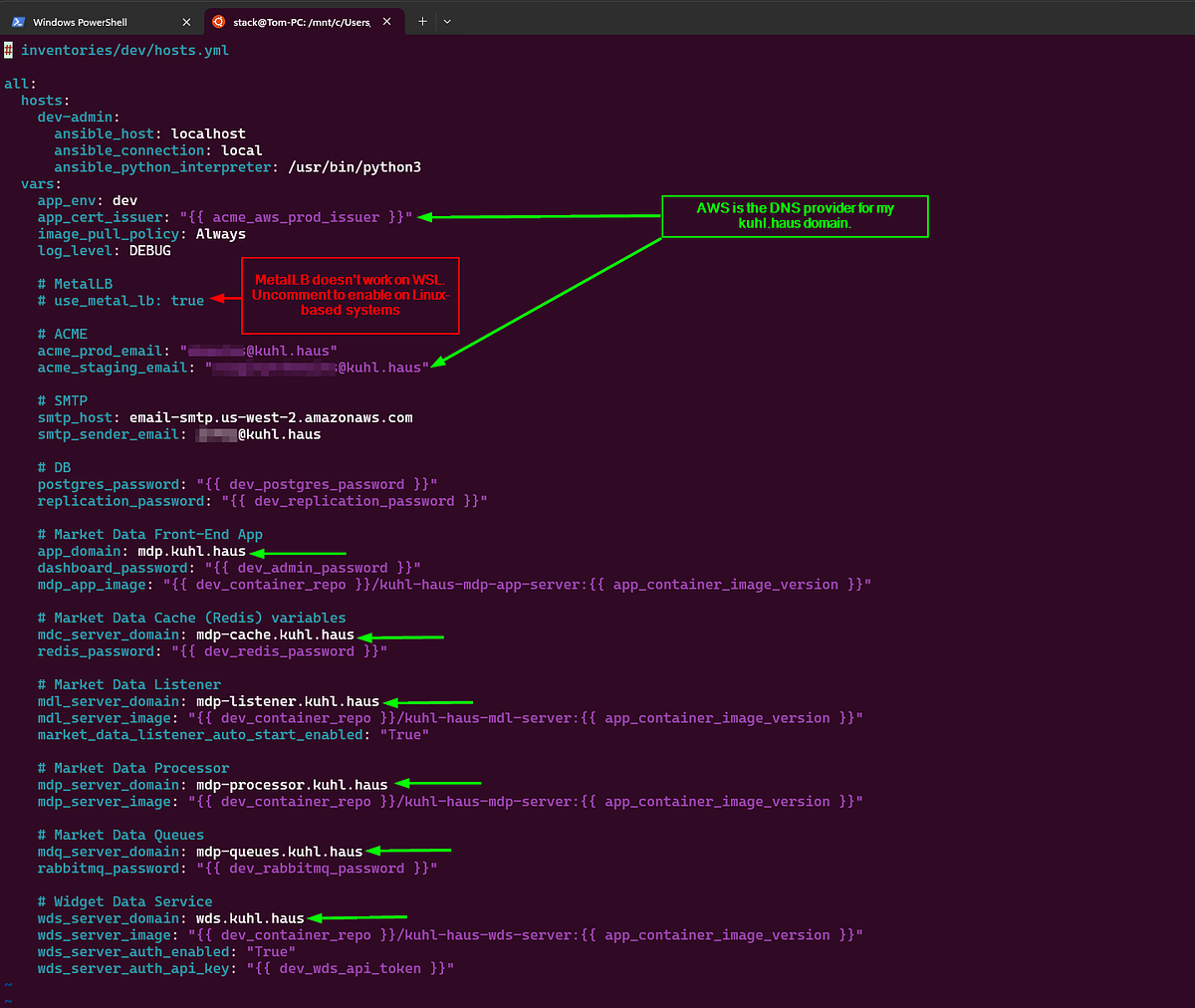
<p>First thing I did was open <a href="https://github.com/kuhl-haus/kuhl-haus-mdp/issues/3">Issue #3</a> to track the problem — because debugging without a paper trail is just vibes. First action item: mitigate. That meant reverting the distributed tracing changes in MDL (<a href="https://kuhl-haus-mdp.readthedocs.io/en/latest/changelog.html#version-0-2-14-2026-02-17">v0.2.14</a>). Stabilize the patient, <em>then</em> figure out what’s actually wrong.</p>

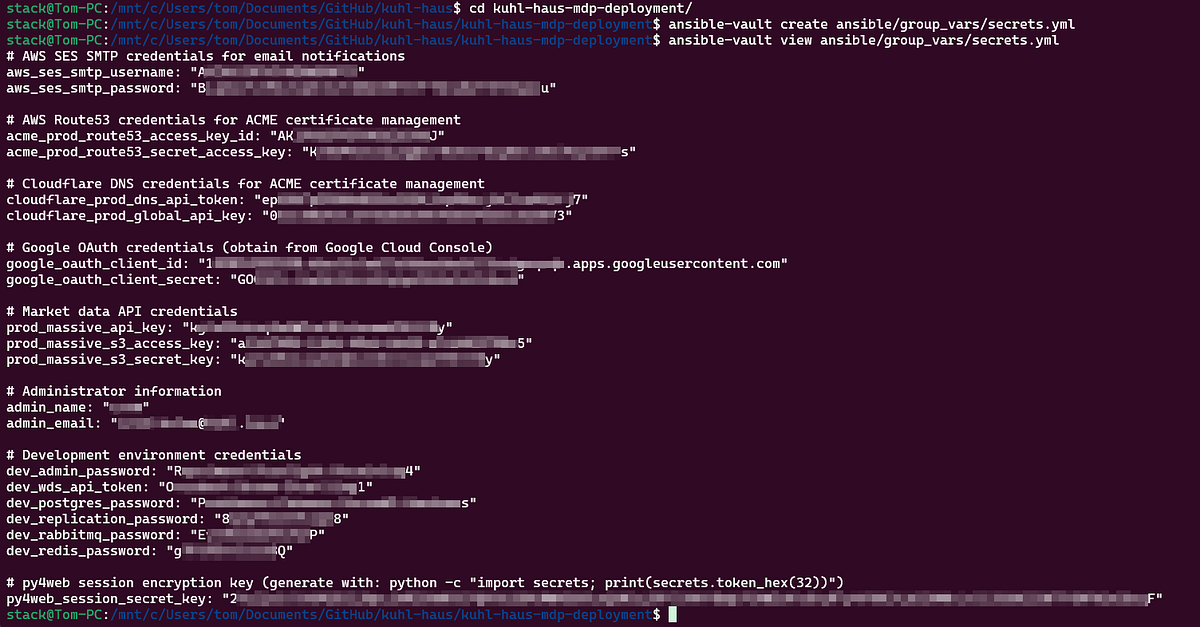
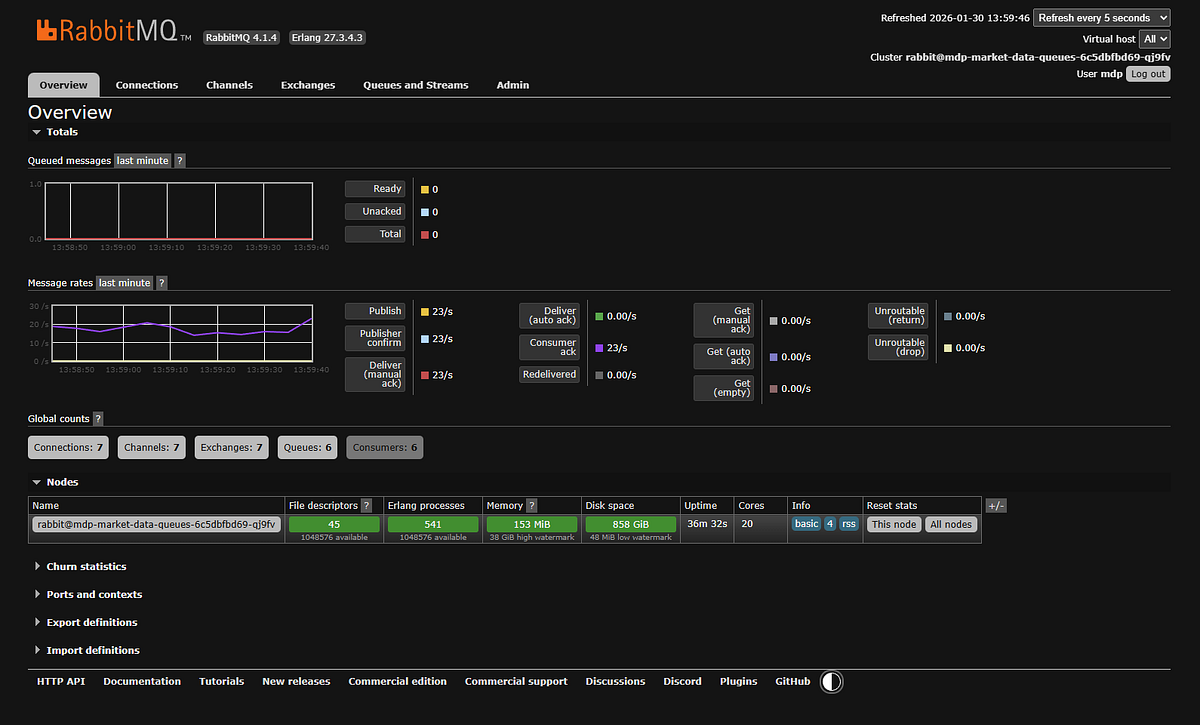
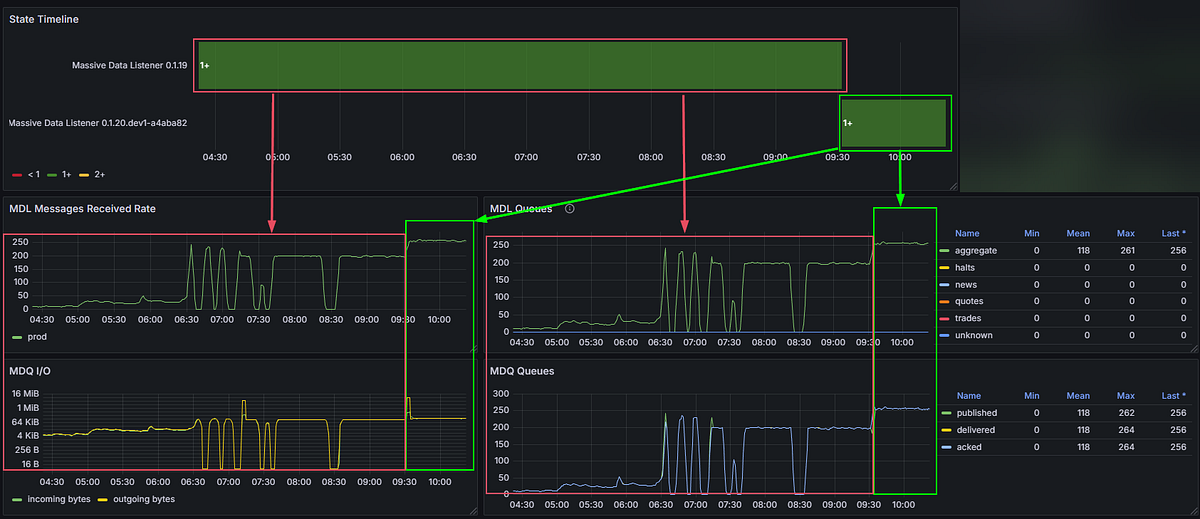
<p><img src="/assets/images/posts/what-i-built-after-quitting-amazon-spoiler-its-a-stock-scanner-part-5/img-01.png" alt="" /></p>

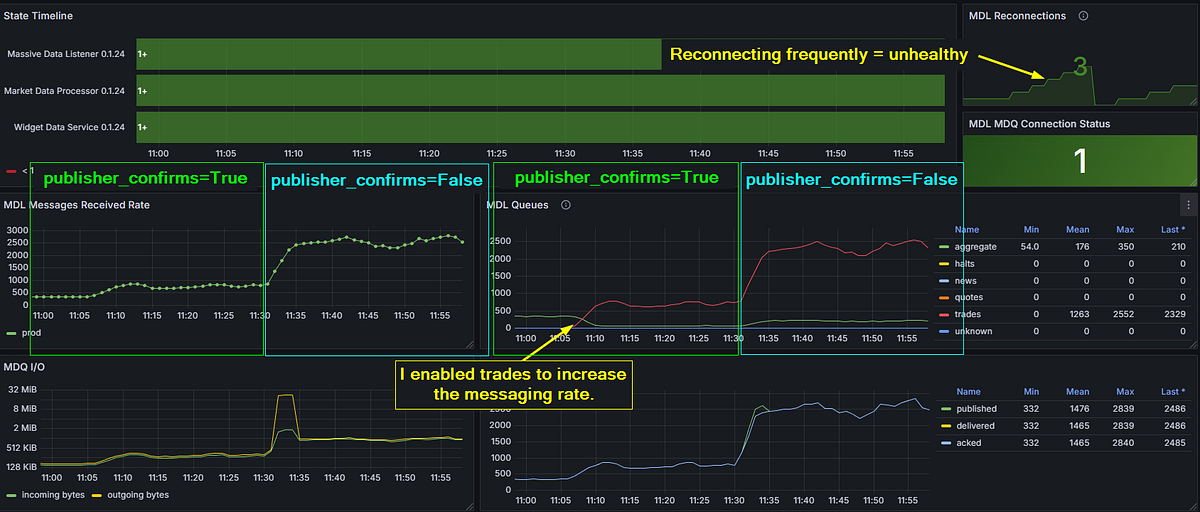
<p><em>Clear evidence of a bottleneck — observability merely pushes it past its breaking point.</em></p>

<blockquote>
  <p><em>If you’re squinting at version numbers in the dashboard screenshots and they don’t match the ones in this article — you’re not losing it. As I mentioned in Part 4, kuhl-haus-mdp (core library) and kuhl-haus-mdp-servers (deployment) are separate repos with separate version tracks. This article references kuhl-haus-mdp versions (</em><a href="https://kuhl-haus-mdp.readthedocs.io/en/latest/changelog.html#"><em>change log</em></a><em>). The dashboards show kuhl-haus-mdp-servers versions (</em><a href="https://github.com/kuhl-haus/kuhl-haus-mdp-servers/releases"><em>version history</em></a><em>).</em></p>
</blockquote>

<p>Then the monitoring told the story. The throughput graph had a flat top. Not a gradual degradation, not random drops — a clean ceiling at approximately <strong>270 msg/s</strong>. That pattern is a dead giveaway. Something structural was capping throughput, and it had nothing to do with the network, the broker, or the upstream feed.</p>

<h3 id="root-cause-sequential-single-channel-publishing">Root Cause: Sequential Single-Channel Publishing</h3>

<p>Here’s what the publish pipeline looked like:</p>

<div class="language-python highlighter-rouge"><div class="highlight"><pre class="highlight"><code><span class="k">async</span> <span class="k">def</span> <span class="nf">handle_messages</span><span class="p">(</span><span class="bp">self</span><span class="p">,</span> <span class="n">msgs</span><span class="p">:</span> <span class="n">List</span><span class="p">[</span><span class="n">WebSocketMessage</span><span class="p">]):</span>  
    <span class="k">for</span> <span class="n">message</span> <span class="ow">in</span> <span class="n">msgs</span><span class="p">:</span>  
        <span class="k">await</span> <span class="bp">self</span><span class="p">.</span><span class="n">fanout_to_queues</span><span class="p">(</span><span class="n">message</span><span class="p">)</span>  
  
<span class="k">async</span> <span class="k">def</span> <span class="nf">fanout_to_queues</span><span class="p">(</span><span class="bp">self</span><span class="p">,</span> <span class="n">message</span><span class="p">:</span> <span class="n">WebSocketMessage</span><span class="p">):</span>  
    <span class="n">serialized_message</span> <span class="o">=</span> <span class="n">WebSocketMessageSerde</span><span class="p">.</span><span class="n">serialize</span><span class="p">(</span><span class="n">message</span><span class="p">)</span>
</code></pre></div></div>

<p>One message. One channel. One round-trip. Wait for the broker acknowledgment (~20ms). Repeat.</p>

<p>With publisher confirms enabled and a single AMQP channel shared across six queues, the maximum theoretical throughput was roughly 50 publishes per second per confirm cycle. In practice, the event loop managed to interleave enough work to squeeze out ~271 msg/s — but that was still nowhere near the 1,000+ msg/s I needed during peak market hours. On a local development host (RTT ~1ms), the same code easily exceeded 1,000 msg/s, masking the issue during development and testing.</p>

<p>The OTEL instrumentation didn’t <em>cause</em> this bottleneck. It <em>exposed</em> it. The additional overhead from trace context propagation pushed the pipeline just hard enough to make a latent architectural flaw visible. The bottleneck had been there all along, patiently waiting for enough load to matter.</p>

<p>That’s not a bug in your observability tooling. That’s your observability tooling doing its job.</p>

<h3 id="the-fix">The Fix</h3>

<p>Version <a href="https://kuhl-haus-mdp.readthedocs.io/en/latest/changelog.html#version-0-2-17-2026-02-18">0.2.17</a>, commit <code class="language-plaintext highlighter-rouge">caf1ddd</code>. This wasn’t a one-liner.</p>

<div class="language-python highlighter-rouge"><div class="highlight"><pre class="highlight"><code><span class="k">async</span> <span class="k">def</span> <span class="nf">handle_message</span><span class="p">(</span><span class="bp">self</span><span class="p">,</span> <span class="n">message</span><span class="p">:</span> <span class="nb">dict</span><span class="p">)</span> <span class="o">-&gt;</span> <span class="bp">None</span><span class="p">:</span>  
    <span class="n">routing_key</span> <span class="o">=</span> <span class="n">message</span><span class="p">.</span><span class="n">get</span><span class="p">(</span><span class="s">"ev"</span><span class="p">,</span> <span class="s">"unknown"</span><span class="p">)</span>  
    <span class="n">message_body</span> <span class="o">=</span> <span class="bp">self</span><span class="p">.</span><span class="n">_serialize_message</span><span class="p">(</span><span class="n">message</span><span class="p">)</span>  
    <span class="k">await</span> <span class="bp">self</span><span class="p">.</span><span class="n">_publish_message</span><span class="p">(</span><span class="n">message_body</span><span class="p">,</span> <span class="n">routing_key</span><span class="p">)</span>  
  
<span class="k">async</span> <span class="k">def</span> <span class="nf">_publish_message</span><span class="p">(</span><span class="bp">self</span><span class="p">,</span> <span class="n">message_body</span><span class="p">:</span> <span class="nb">bytes</span><span class="p">,</span> <span class="n">routing_key</span><span class="p">:</span> <span class="nb">str</span><span class="p">)</span> <span class="o">-&gt;</span> <span class="bp">None</span><span class="p">:</span>  
    <span class="c1"># Pre-build all Message objects before any network I/O  
</span>    <span class="n">publish_tasks</span> <span class="o">=</span> <span class="p">[]</span>  
    <span class="k">for</span> <span class="n">queue_name</span><span class="p">,</span> <span class="n">channel</span> <span class="ow">in</span> <span class="bp">self</span><span class="p">.</span><span class="n">queue_channels</span><span class="p">.</span><span class="n">items</span><span class="p">():</span>  
        <span class="n">msg</span> <span class="o">=</span> <span class="n">Message</span><span class="p">(</span>  
            <span class="n">message_body</span><span class="p">,</span>  
            <span class="n">delivery_mode</span><span class="o">=</span><span class="n">DeliveryMode</span><span class="p">.</span><span class="n">NOT_PERSISTENT</span><span class="p">,</span>  
        <span class="p">)</span>  
        <span class="n">publish_tasks</span><span class="p">.</span><span class="n">append</span><span class="p">(</span>  
            <span class="n">channel</span><span class="p">.</span><span class="n">default_exchange</span><span class="p">.</span><span class="n">publish</span><span class="p">(</span><span class="n">msg</span><span class="p">,</span> <span class="n">routing_key</span><span class="o">=</span><span class="n">queue_name</span><span class="p">)</span>  
        <span class="p">)</span>  
  
    <span class="c1"># One concurrent burst — no sequential round-trips  
</span>    <span class="k">await</span> <span class="n">asyncio</span><span class="p">.</span><span class="n">gather</span><span class="p">(</span><span class="o">*</span><span class="n">publish_tasks</span><span class="p">,</span> <span class="n">return_exceptions</span><span class="o">=</span><span class="bp">True</span><span class="p">)</span>
</code></pre></div></div>

<p>The obvious part: allocate one dedicated AMQP channel per queue — six channels — so publishes to different queues are never serialized at the broker level. Fire them all concurrently with <code class="language-plaintext highlighter-rouge">asyncio.gather</code> instead of awaiting each one in a loop.</p>

<p>The less obvious part: <code class="language-plaintext highlighter-rouge">asyncio.gather</code> is only fast if the coroutines it’s gathering are <em>ready to go</em>. That meant pre-building all <code class="language-plaintext highlighter-rouge">Message</code> objects and resolving queue names before any network I/O begins. Separate the prep from the publish. By the time <code class="language-plaintext highlighter-rouge">gather</code> fires, there’s zero computation left — just concurrent network calls.</p>

<p>The cleanup: <code class="language-plaintext highlighter-rouge">publisher_confirms</code> became a constructor parameter (default <code class="language-plaintext highlighter-rouge">True</code>) for toggling fire-and-forget. Delivery mode switched to <code class="language-plaintext highlighter-rouge">NOT_PERSISTENT</code> — ephemeral market data doesn’t need durability. The old <code class="language-plaintext highlighter-rouge">fanout_to_queues</code> method was deleted; <code class="language-plaintext highlighter-rouge">handle_messages</code> now delegates to <code class="language-plaintext highlighter-rouge">_publish_message</code> directly. Shutdown and queue setup were updated to manage per-queue channel lifecycles.</p>

<p><strong>Result: 270 msg/s → ~600 msg/s.</strong> More than double, once I stopped asking <code class="language-plaintext highlighter-rouge">asyncio</code> to be concurrent and actually gave it the structure to do so.</p>

<p><img src="/assets/images/posts/what-i-built-after-quitting-amazon-spoiler-its-a-stock-scanner-part-5/img-02.png" alt="" /></p>

<p><em>Left: that flat top at ~270 msg/s is the dead giveaway — a structural ceiling, not a load problem. Right: one commit (caf1ddd), concurrent channels, and the ceiling is gone.</em></p>

<h3 id="the-lesson">The Lesson</h3>

<p>Writing <code class="language-plaintext highlighter-rouge">async def</code> doesn’t make your I/O concurrent. It makes it <em>possible</em> to be concurrent. You still have to design for it — explicitly, intentionally. An <code class="language-plaintext highlighter-rouge">await</code> in a <code class="language-plaintext highlighter-rouge">for</code> loop is sequential I/O with extra syntax.</p>

<p>And sometimes the best thing your observability tooling can do is break something that was already broken. You just couldn’t see it yet.</p>

<h3 id="proving-1000-messages-per-second">Proving 1,000+ Messages Per Second</h3>

<p>With the MDQ bottleneck gone, the natural question was: how far can we push this?</p>

<p>The answer came in layers, and peeling them back was half the fun.</p>

<h3 id="layer-1-publisher-confirms-850-msgs">Layer 1: Publisher Confirms (~850 msg/s)</h3>

<p>The concurrent channel fix got me to 600, however, further testing showed it bottlenecking around 850 because publisher confirms were still the constraint. Every publish waited for a <code class="language-plaintext highlighter-rouge">basic.ack</code> from the broker before the channel was free again. Safe? Yes. Fast? Not fast enough.</p>

<p><img src="/assets/images/posts/what-i-built-after-quitting-amazon-spoiler-its-a-stock-scanner-part-5/img-03.png" alt="" /></p>

<p><em>Layer 1: publisher confirms on, ~800 msg/s sustained. Push past that and the MDL reconnects — visible top-right. The ACK wait is now the ceiling.</em></p>

<h3 id="layer-2-fire-and-forget-2500-msgs">Layer 2: Fire and Forget (~2,500 msg/s)</h3>

<p>Flipping <code class="language-plaintext highlighter-rouge">publisher_confirms=False</code> changed the game entirely. Without ACK waits, publishes become fire-and-forget — the message hits TCP buffers and the code moves on. Peak throughput jumped to approximately <strong>2,500 msg/s</strong> before something else became the limiting factor.</p>

<p><img src="/assets/images/posts/what-i-built-after-quitting-amazon-spoiler-its-a-stock-scanner-part-5/img-04.png" alt="" /></p>

<p><em>Layer 2: one transition from publisher_confirms=True to False, seen from two angles — received rate on the left, queue throughput on the right. Trades enabled to crank the volume. Fire-and-forget blows past 2,500 msg/s — but three reconnections and an unhealthy MDL say we found the next ceiling, not the final answer.</em></p>

<p>For a market data platform where the next tick makes the last one obsolete, this is an acceptable tradeoff. I’m not processing bank transfers. I’m distributing prices that have a shelf life measured in milliseconds.</p>

<h3 id="layer-3-right-sizing-the-feed">Layer 3: Right-Sizing the Feed</h3>

<p>The trades feed was the highest-volume data source by a wide margin — and, like I said in my last post, it wasn’t needed for any of my current analysis use cases. Once I’d proven the platform could handle the load, I disabled it. No point burning resources on data nobody’s consuming.</p>

<h3 id="the-money-shot-1490-msgs-at-market-close">The Money Shot: 1,490 msg/s at Market Close</h3>

<p>With the remaining feed — aggregates — running against real market conditions, the platform hit <strong>1,490 msg/s</strong> at market close. That’s peak load, during one of the most volatile parts of the trading day, and the platform handled it without so much as a hiccup.</p>

<p><img src="/assets/images/posts/what-i-built-after-quitting-amazon-spoiler-its-a-stock-scanner-part-5/img-05.png" alt="" /></p>

<p><em>1,490 msg/s at market close. Healthy connection. Five reconnections since the service started — all from earlier testing. That number highlighted top-right? The one with the yellow arrow pointing at it. That’s Wave 1, answered.</em></p>

<p>This is the milestone the whole series has been building toward. Wave 1 was about answering one question: <em>can this architecture handle real market data at production speeds?</em></p>

<p>Yes. Yes it can.</p>

<h3 id="read-the-docs-looking-like-a-real-project">Read the Docs: Looking Like a Real Project</h3>

<p>Somewhere between debugging bottlenecks and chasing throughput numbers, the platform got a proper documentation site: <a href="https://kuhl-haus-mdp.readthedocs.io/en/latest/">kuhl-haus-mdp.readthedocs.io</a>.</p>

<p>If you saw the docs two weeks ago, there wasn’t much to see. A README and some wishful thinking. Now there’s a full Sphinx site with:</p>

<ul>
  <li><strong>Architecture diagrams</strong> — PlantUML for the Data Plane, Control Plane, Observability layer, and Deployment Model. Not boxes-and-arrows napkin sketches. Real diagrams that actually reflect the codebase.</li>
  <li><strong>Auto-generated API reference</strong> — via Sphinx <code class="language-plaintext highlighter-rouge">automodule</code> directives, so the docs stay in sync with the code without manual intervention.</li>
  <li><strong>Security policy</strong> — dual-format because life is complicated. The <code class="language-plaintext highlighter-rouge">.rst</code> file is the source of truth for Sphinx; a <code class="language-plaintext highlighter-rouge">.md</code> stub lives in the repo root so GitHub’s Security tab picks it up. One policy, two audiences.</li>
  <li><strong>Modern packaging</strong> — this was the push to finally kill <code class="language-plaintext highlighter-rouge">setup.py</code>, <code class="language-plaintext highlighter-rouge">setup.cfg</code>, and <code class="language-plaintext highlighter-rouge">tox.ini</code> in favor of a single <code class="language-plaintext highlighter-rouge">pyproject.toml</code> managed by PDM. PEP 517/518 compliance. Clean, modern, no legacy cruft.</li>
</ul>

<p>None of this is glamorous work. But if you want anyone else to take your project seriously — or even future-you six months from now — documentation is the difference between “open source project” and “code dump on GitHub.”</p>

<h3 id="the-supporting-cast">The Supporting Cast</h3>

<p>A lot happened in 19 versions that doesn’t warrant its own section but still matters. Here’s the highlight reel:</p>

<p><strong>Structured Logging (</strong><a href="https://kuhl-haus-mdp.readthedocs.io/en/latest/changelog.html#version-0-2-8-2026-02-11"><strong>v0.2.8</strong></a><strong>):</strong> Switched to <code class="language-plaintext highlighter-rouge">python-json-logger</code> and enforced proper <code class="language-plaintext highlighter-rouge">getLogger(__name__)</code> hygiene across every module. Boring? Yes. Essential for debugging in a distributed system? Also yes.</p>

<p><strong>New Analyzers (</strong><a href="https://kuhl-haus-mdp.readthedocs.io/en/latest/changelog.html#version-0-2-15-2026-02-18"><strong>v0.2.15</strong></a><strong>–</strong><a href="https://kuhl-haus-mdp.readthedocs.io/en/latest/changelog.html#version-0-2-16-2026-02-18"><strong>v0.2.16</strong></a><strong>):</strong> <code class="language-plaintext highlighter-rouge">TopTradesAnalyzer</code> — Redis-backed, sliding window, cluster-throttled. <code class="language-plaintext highlighter-rouge">MassiveDataAnalyzer</code> refactored to fully async with OTEL instrumentation. The analysis pipeline is starting to look like a real thing.</p>

<p><strong>Market Status Handling (</strong><a href="https://kuhl-haus-mdp.readthedocs.io/en/latest/changelog.html#version-0-2-19-2026-02-19"><strong>v0.2.19</strong></a><strong>):</strong> <code class="language-plaintext highlighter-rouge">MarketStatusValue</code> enum so the MDL knows when the market is open, closed, or in extended hours. Sounds trivial. Prevents an entire class of “why isn’t anything happening” false alarms.</p>

<p><strong>MDL Auto-Restart (</strong><a href="https://kuhl-haus-mdp.readthedocs.io/en/latest/changelog.html#version-0-2-25-2026-02-21"><strong>v0.2.25</strong></a><strong>):</strong> Property setters on <code class="language-plaintext highlighter-rouge">feed</code>, <code class="language-plaintext highlighter-rouge">market</code>, and <code class="language-plaintext highlighter-rouge">subscriptions</code> that trigger <code class="language-plaintext highlighter-rouge">asyncio.create_task(self.restart())</code> automatically. Change a configuration value, get a restart. No manual intervention needed.</p>

<h3 id="test-coverage-from-35-to-the-badge-that-says-100">Test Coverage: From 35% to the Badge That Says 100%</h3>

<p>On February 9th — the date of my last post — code coverage stood at <strong>35.74%</strong>. Today the GitHub badge reads <strong>100%</strong>. That didn’t happen by accident, and it didn’t happen all at once.</p>

<h3 id="phase-1-get-the-needle-moving">Phase 1: Get the Needle Moving</h3>

<p>The first pass was simple: establish a minimum of 85% coverage at the module level. No heroics, no edge cases, no agonizing over branch coverage in error handlers. Just write the obvious tests, cover the obvious paths, and get the number to a place where it’s no longer embarrassing.</p>

<p>35.74% → <strong>97%</strong>. Fast, relatively painless, and immediately useful. You learn a lot about your own code when you’re forced to write tests for all of it.</p>

<h3 id="phase-2-test-coverage-review--improvement-plan">Phase 2: Test Coverage Review &amp; Improvement Plan</h3>

<p>Phase 2 was different. I opened <a href="https://github.com/kuhl-haus/kuhl-haus-mdp/issues/4">Issue #4</a> — a systematic, module-by-module review with one goal: push from competent coverage to comprehensive coverage. 398 tests. 1,853 statements. 5 missed. Every test follows AAA format (Arrange, Act, Assert) with consistent <code class="language-plaintext highlighter-rouge">sut</code> naming.</p>

<p>97% → <strong>99%+</strong>. And this is where things got interesting.</p>

<h3 id="the-bug-that-tests-found">The Bug That Tests Found</h3>

<p>During the Phase 2 review of the Websocket Data Service, I discovered that <em>every</em> <code class="language-plaintext highlighter-rouge">pmessage</code> wildcard subscription was being silently dropped. The WDS was subscribing to patterns and then… quietly receiving nothing. No errors. No warnings. Just silence.</p>

<p>I didn’t find this bug by hunting for bugs. I found it by writing thorough tests for code I assumed was working. That’s the whole point of Phase 2. Phase 1 buys you credibility. Phase 2 buys you correctness.</p>

<h3 id="looking-forward-the-four-waves">Looking Forward: The Four Waves</h3>

<p>This post wraps up Wave 1. It’s a starting gun, not a finish line.</p>

<p>I’ve been thinking about the platform’s roadmap in terms of a SIGINT fire-control analogy — four waves, each building on the last:</p>

<ol>
  <li><strong>Wave 1: Broad Search</strong> — Scan the market for stocks in play. Ingest data, distribute it, prove the architecture can handle production load. <em>Done.</em></li>
  <li><strong>Wave 2: Target Acquisition</strong> — Stock selection by strategy. Which instruments deserve attention based on volume, volatility, or pattern recognition?</li>
  <li><strong>Wave 3: Target Lock</strong> — Identify buy/sell signals. The analysis pipeline generates actionable intelligence.</li>
  <li><strong>Wave 4: Fire</strong> — Execute trades. Paper trading first, then live API integration if the signals prove out.</li>
</ol>

<p>The infrastructure work is done. The boring-but-essential foundation — logging, observability, testing, documentation, performance — is solid. Now the interesting stuff starts.</p>

<p>Wave 2 is next. Time to find some targets.</p>

<p><em>All code is open source at</em> <a href="https://github.com/kuhl-haus/kuhl-haus-mdp"><em>kuhl-haus/kuhl-haus-mdp</em></a><em>. Star it, fork it, or tell me what I’m doing wrong.</em></p>]]></content><author><name>Tom Pounders</name></author><category term="Software Engineering" /><category term="testing" /><category term="documentation" /><category term="performance" /><category term="market-data" /><summary type="html"><![CDATA[Wrapping up Wave 1 — debugging stories, 1,490 msg/s throughput, and 100% test coverage.]]></summary></entry><entry><title type="html">What I Built After Quitting Amazon (Spoiler: It’s a Stock Scanner) — Part 4</title><link href="https://oldschool-engineer.dev/software%20engineering/2026/02/11/what-i-built-after-quitting-amazon-spoiler-its-a-stock-scanner-part-4.html" rel="alternate" type="text/html" title="What I Built After Quitting Amazon (Spoiler: It’s a Stock Scanner) — Part 4" /><published>2026-02-11T00:00:00+00:00</published><updated>2026-02-11T00:00:00+00:00</updated><id>https://oldschool-engineer.dev/software%20engineering/2026/02/11/what-i-built-after-quitting-amazon-spoiler-its-a-stock-scanner-part-4</id><content type="html" xml:base="https://oldschool-engineer.dev/software%20engineering/2026/02/11/what-i-built-after-quitting-amazon-spoiler-its-a-stock-scanner-part-4.html"><![CDATA[<p><strong><em>The Evolution from Prototype to Production: A Case Study in Deliberate Design Iteration</em></strong></p>

<p>📖 <strong>Stock Scanner Series:</strong></p>
<ul>
  <li><a href="/side%20projects/2026/01/16/what-i-built-after-quitting-amazon-spoiler-its-a-stock-scanner.html">Part 1: Why I Built It</a></li>
  <li><a href="/side%20projects/2026/01/21/what-i-built-after-quitting-amazon-spoiler-its-a-stock-scanner-part-2.html">Part 2: How to Run It</a></li>
  <li><a href="/infrastructure/2026/01/31/what-i-built-after-quitting-amazon-spoiler-its-a-stock-scanner-part-3.html">Part 3: How to Deploy It</a></li>
  <li>Part 4: Evolution from Prototype to Production (you are here)</li>
  <li><a href="/software%20engineering/2026/02/23/what-i-built-after-quitting-amazon-spoiler-its-a-stock-scanner-part-5.html">Part 5: Bugs, Bottlenecks, and Breaking 1,000 msg/s</a></li>
</ul>

<h3 id="introduction">Introduction</h3>

<p>Parts 2 and 3 were straight-up instruction manuals. Necessary, but not exactly page-turners. The DevOps geek in me couldn’t open-source code without proper documentation — it’s a compulsion. But now we get to the interesting stuff: how I took a deliberately simple proof-of-concept and systematically evolved it into a production-grade system that can handle 1,000+ events per second without breaking a sweat.</p>

<h3 id="the-philosophy-of-intentional-simplicity">The Philosophy of Intentional Simplicity</h3>

<p>When you’re building something complex from scratch, there’s a temptation to over-engineer. You start designing for scale you don’t need yet, implementing patterns for problems you haven’t encountered, building abstractions for requirements you haven’t validated. That’s how projects die before they launch.</p>

<p>My approach: build the simplest thing that proves the concept, measure it, then iterate based on data. The PoC was intentionally janky — simple data structures, obvious bottlenecks, single-process constraints. I knew exactly what would break and where. The point wasn’t to build the final system; it was to validate the architecture and identify the real bottlenecks through observation, not speculation.</p>

<h3 id="why-microservices-and-why-it-actually-matters">Why Microservices? (And Why It Actually Matters)</h3>

<p>Before we dig into the evolution, let’s address the architectural elephant in the room. Microservices are inherently more complex than monoliths — more moving parts, harder to debug, operational overhead. So why choose that path?</p>

<p>I knew from the start I needed real-time WebSocket updates on the frontend. I’d prototyped with py4web but wasn’t married to it. I considered <a href="https://htmx.org/">HTMX</a> briefly, but settled on a JavaScript framework for the frontend since <a href="/software%20engineering/2025/11/02/could-we-just-use-brainfuck-for-vibe-coding.html">AI tooling would be more helpful there</a>. That meant WebSockets, which py4web doesn’t implement natively.</p>

<p>Sure, I could hack WebSocket support with FastAPI as a sidecar. But once you’re running sidecar containers, you’re not building a monolith anymore — you’re building a tightly-coupled hybrid architecture. And that’s the worst of both worlds.</p>

<p>Here’s the thing: authentication, user management, and serving static content are completely different concerns from processing real-time market data at 1,000+ events per second. Why tightly couple the technology stacks when the problem domains are fundamentally separate? Microservices gave me the flexibility to choose the best tool for each job and develop them independently.</p>

<p>The market data constraints sealed it: Massive.com limits you to a single WebSocket connection for all subscriptions. I can’t open separate connections for Trades, Aggregates, and News. I can’t filter to specific symbols. I have to consume everything they send, in bursts, without falling behind — or they disconnect me. That means I need horizontal scalability, which means distributed work queues, which means microservices architecture becomes the simpler choice, not the more complex one.</p>

<h3 id="the-proof-of-concept-deliberately-simple-intentionally-flawed">The Proof-of-Concept: Deliberately Simple, Intentionally Flawed</h3>

<p>The PoC had two analyzers processing market data:</p>

<p><strong>The</strong> <a href="https://github.com/kuhl-haus/kuhl-haus-mdp/blob/mainline/src/kuhl_haus/mdp/analyzers/massive_data_analyzer.py"><strong>Massive Data Analyzer</strong></a> consumed messages from RabbitMQ and republished them to Redis with zero processing. Pure passthrough.</p>

<p><strong>The</strong> <a href="https://github.com/kuhl-haus/kuhl-haus-mdp/blob/mainline/src/kuhl_haus/mdp/analyzers/top_stocks.py"><strong>Top Stocks Analyzer</strong></a> subscribed to Redis channels, maintained three leaderboards (top gainers, top gappers, top volume) in dictionaries, and sorted them once per second.</p>

<p>I knew this design had problems:</p>

<ol>
  <li><strong>Wrong data structure for rankings:</strong> Dictionaries give O(1) access but require O(n*log(n)) sorting to maintain rankings. Priority queues or sorted sets would be better, but I wanted to validate the architecture first.</li>
  <li><strong>Processing messages twice:</strong> RabbitMQ → Massive Data Analyzer → Redis → Top Stocks Analyzer. Inefficient by design, but it let me test different messaging patterns without rewriting the whole stack.</li>
  <li><strong>Single-process constraint:</strong> The Top Stocks Analyzer couldn’t scale horizontally because it held all state in memory.</li>
</ol>

<p>These weren’t oversights. They were conscious tradeoffs to get to a working system fast. The PoC validated the architecture, confirmed the data flow patterns, and — most importantly — ran long enough to reveal the real bottlenecks.</p>

<h3 id="the-stampeding-herd-problem-when-elegant-degradation-meets-reality">The Stampeding Herd Problem: When Elegant Degradation Meets Reality</h3>

<p>Here’s what I discovered: every morning at 6:30 AM Pacific, the scanner crashed like clockwork.</p>

<p>The behavior was consistent enough to set a watch by, but I didn’t have the data to explain <em>why</em> restarting it actually fixed the problem. No distributed tracing. No metrics. Just console logs and educated guesses.</p>

<p>The culprit turned out to be an interaction between two design decisions:</p>

<p><strong>RabbitMQ’s graceful degradation:</strong> I configured it to buffer messages for 5 seconds max, silently discarding old messages if processing fell behind. This was intentional — I wanted data freshness over completeness. If the processor got overwhelmed, the WebSocket clients would get slightly stale data instead of a backed-up flood of outdated information.</p>

<p><strong>The cache reset at market open:</strong> When the official opening price arrived, the Top Stocks Analyzer reset its entire cache to recalculate all the statistics based on the new baseline. Reasonable enough — except it happened simultaneously with the highest burst traffic of the day.</p>

<p>Here’s where the double-processing bit me: the Massive Data Analyzer was republishing everything from RabbitMQ to Redis, completely bypassing RabbitMQ’s graceful degradation. So when the Top Stocks Analyzer reset its cache right as the market opened, it got slammed with the full stampeding herd of accumulated messages. My elegant backpressure mechanism? Rendered completely ineffective by my own architecture.</p>

<p>The restart “fixed” it because reconnecting the Redis client cleared the backpressure just enough for the process to appear responsive again.</p>

<h3 id="adding-observability-proving-what-you-suspect">Adding Observability: Proving What You Suspect</h3>

<p>You can’t optimize what you can’t measure. I spent a week adding observability to the stack, starting with the low-hanging fruit: zero-code OpenTelemetry instrumentation using environment variables and the <code class="language-plaintext highlighter-rouge">opentelemetry-instrument</code> wrapper. Minimal code changes, mostly in <a href="https://github.com/kuhl-haus/kuhl-haus-mdp-servers/issues/2">kuhl-haus-mdp-servers</a>.</p>

<p>Is it comprehensive? Not yet. The core library doesn’t get auto-instrumented, and most of my FastAPI services just serve health checks anyway. But it lays the groundwork — once I <a href="https://github.com/kuhl-haus/kuhl-haus-mdp/issues/2">add proper instrumentation to the core library</a>, I’ll have full distributed tracing across the entire stack without reconfiguring the data plane.</p>

<p>For Kubernetes observability, I configured the OpenTelemetry Operator and used operator injection with annotations on the py4web frontend. Infrastructure metrics and logs? Check.</p>

<p>For application metrics, I built a custom Prometheus JSON exporter to scrape the health check endpoints. It runs as a sidecar, translates JSON payloads into Prometheus metrics via a config file, and exposes everything at <code class="language-plaintext highlighter-rouge">/probe</code>. Simple, decoupled, effective. I’ve open-sourced the <a href="https://github.com/kuhl-haus/kuhl-haus-mdp-deployment/tree/mainline/monitoring">JSON exporter and configuration</a> for the masochists out there.</p>

<p><img src="/assets/images/posts/what-i-built-after-quitting-amazon-spoiler-its-a-stock-scanner-part-4/img-01.png" alt="" /></p>

<p><em>Graph showing MDL message send and receive rates</em></p>

<p><img src="/assets/images/posts/what-i-built-after-quitting-amazon-spoiler-its-a-stock-scanner-part-4/img-03.png" alt="" /></p>

<p><em>The PoC’s death rattle, visualized.</em></p>

<p>Rather than restart the MDP, I let it run and self-recover. The green line shows the Massive Data Analyzer humming along processing aggregate messages. The red line shows the Top Stocks Analyzer having a full-blown meltdown at market open (6:30 AM Pacific), flat-lining for an hour and then thrashing for the next two, finally recovering around 9:30 AM. Notice how the red line flatlines before rising sharply, spiking to 340+ messages/sec right as it recovers — classic stampeding herd problem.</p>

<p><img src="/assets/images/posts/what-i-built-after-quitting-amazon-spoiler-its-a-stock-scanner-part-4/img-02.png" alt="" /></p>

<p><em>This is what “crashes like clockwork” looks like in Grafana.</em></p>

<p>The data confirmed my suspicions and revealed some surprises:</p>

<ul>
  <li>The dictionary sorts were expensive, as expected</li>
  <li>The double-processing overhead was worse than I’d estimated</li>
  <li>The stampeding herd pattern at market open was clear in the metrics</li>
</ul>

<p>With hard numbers in hand, I could prioritize the rewrites systematically instead of guessing.</p>

<h3 id="the-solution-stateless-horizontally-scalable-redis-backed">The Solution: Stateless, Horizontally Scalable, Redis-Backed</h3>

<p>I killed the Top Stocks Analyzer entirely and replaced it with the <a href="https://github.com/kuhl-haus/kuhl-haus-mdp/blob/mainline/src/kuhl_haus/mdp/analyzers/leaderboard_analyzer.py"><strong>Leaderboard Analyzer</strong></a>.</p>

<p>Key changes:</p>

<p><a href="https://redis.io/docs/latest/develop/data-types/sorted-sets/"><strong>Redis Sorted Sets for rankings</strong></a><strong>:</strong> Instead of dictionaries with periodic sorts, I’m using Redis sorted sets that maintain rankings natively. Updates are O(log(n)) and lookups are O(1). More importantly, the data structure lives in Redis, not in process memory.</p>

<p><strong>Stateless design:</strong> Multiple Leaderboard Analyzer instances can run concurrently because they don’t hold local state. Each instance pulls from RabbitMQ, processes, and updates Redis. Horizontal scaling becomes trivial.</p>

<p><strong>Single-pass processing:</strong> The Massive Data Analyzer is gone. The Leaderboard Analyzer consumes directly from RabbitMQ and publishes to Redis in one pass. The graceful degradation mechanism works again.</p>

<p>The morning crash? Gone. The scanner now runs continuously through market open without a problem.</p>

<h3 id="scaling-up-vs-scaling-out-composability-by-design">Scaling Up vs. Scaling Out: Composability by Design</h3>

<p>This is why kuhl-haus-mdp and kuhl-haus-mdp-servers are separate repos. The core library defines the data models and processing logic. The servers package implements different deployment strategies.</p>

<p><strong>The</strong> <a href="https://github.com/kuhl-haus/kuhl-haus-mdp-servers/blob/mainline/src/kuhl_haus/servers/mdp_server.py"><strong>MDP Server</strong></a> is designed to scale up — single instance, rich observability, health check endpoints that expose Prometheus metrics.</p>

<p><strong>The</strong> <a href="https://github.com/kuhl-haus/kuhl-haus-mdp-servers/blob/mainline/src/kuhl_haus/servers/lba_server.py"><strong>LBA Server</strong></a> is designed to scale up and out — headless, no HTTP endpoints, pure message processing. Spin up as many instances as you need and crank up the parallelism while you’re at it.</p>

<p>Both use the same core library. Once I <a href="https://github.com/kuhl-haus/kuhl-haus-mdp/issues/2">add programmatic tracing and metrics to the core</a>, I can choose scaling strategies based on actual load patterns instead of guessing.</p>

<h3 id="what-i-learned">What I Learned</h3>

<p>Building the PoC with intentional limitations let me validate the architecture fast and identify real bottlenecks through measurement, not speculation. The stampeding herd problem was something I could have predicted — but it was exacerbated from the interaction of seemingly reasonable design choices under actual production load.</p>

<p>The key was making the PoC simple enough to get working quickly, but instrumented enough to learn from. Now I have a system that handles peak market open traffic without crashing, scales horizontally when needed, and gives me the observability to optimize further.</p>

<p>Not bad for a few weeks of work and some systematic iteration.</p>

<h3 id="whats-next">What’s Next?</h3>

<p>Sharp-eyed readers might’ve noticed something: I keep talking about 1,000+ events per second, but the dashboard screenshots show a max of 340 messages/second from the MDP. What gives?</p>

<p>I’ve got one more piece of code sitting in my private repo — a scanner I built during the PoC that I haven’t released yet. I needed to stabilize the foundation before adding more load to the system.</p>

<p>During the PoC, my first analyzer was based on <a href="https://github.com/massive-com/client-python/blob/master/examples/websocket/stocks-ws_extra.py">Massive’s example code</a> — it subscribed to the Trades feed and ranked stocks by number of trades, volume, and cash amount. My initial volume scanner consumed the raw Trades feed, but I discovered I could achieve all my scanning needs using just the Aggregates feed. That cut message processing overhead by 75%, so I shelved the Trades scanner.</p>

<p>Here’s the tradeoff: the Aggregates scanner is slow to detect momentum shifts. When I’m consuming the Trades feed, I can see MOMO (momentum) building in real-time — you catch the move as it’s happening, not after it’s already run. The Aggregates feed smooths everything out, which is great for stability but terrible for timing.</p>

<p>Now that the scaling problems are solved and the architecture can handle horizontal load distribution? Time to bring the Trades scanner back into the mix.</p>

<p>Next post — the finale of this series — I’m going to show you what this thing looks like running at full throttle with both scanners active. 1,000+ events per second, complete with metrics to prove every claim.</p>

<p>We’ve gone from “crashes every morning” to “ready for prime time.” Not a bad arc.</p>]]></content><author><name>Tom Pounders</name></author><category term="Software Engineering" /><category term="opentelemetry" /><category term="observability" /><category term="performance" /><category term="market-data" /><summary type="html"><![CDATA[How OpenTelemetry exposed a hidden bottleneck and drove architectural improvements.]]></summary></entry><entry><title type="html">What I Built After Quitting Amazon (Spoiler: It’s a Stock Scanner) — Part 3</title><link href="https://oldschool-engineer.dev/infrastructure/2026/01/31/what-i-built-after-quitting-amazon-spoiler-its-a-stock-scanner-part-3.html" rel="alternate" type="text/html" title="What I Built After Quitting Amazon (Spoiler: It’s a Stock Scanner) — Part 3" /><published>2026-01-31T00:00:00+00:00</published><updated>2026-01-31T00:00:00+00:00</updated><id>https://oldschool-engineer.dev/infrastructure/2026/01/31/what-i-built-after-quitting-amazon-spoiler-its-a-stock-scanner-part-3</id><content type="html" xml:base="https://oldschool-engineer.dev/infrastructure/2026/01/31/what-i-built-after-quitting-amazon-spoiler-its-a-stock-scanner-part-3.html"><![CDATA[<p><strong><em>Deployment and infrastructure — Production deployment strategies and cost optimization techniques</em></strong></p>

<p>📖 <strong>Stock Scanner Series:</strong></p>
<ul>
  <li><a href="/side%20projects/2026/01/16/what-i-built-after-quitting-amazon-spoiler-its-a-stock-scanner.html">Part 1: Why I Built It</a></li>
  <li><a href="/side%20projects/2026/01/21/what-i-built-after-quitting-amazon-spoiler-its-a-stock-scanner-part-2.html">Part 2: How to Run It</a></li>
  <li>Part 3: How to Deploy It (you are here)</li>
  <li><a href="/software%20engineering/2026/02/11/what-i-built-after-quitting-amazon-spoiler-its-a-stock-scanner-part-4.html">Part 4: Evolution from Prototype to Production</a></li>
  <li><a href="/software%20engineering/2026/02/23/what-i-built-after-quitting-amazon-spoiler-its-a-stock-scanner-part-5.html">Part 5: Bugs, Bottlenecks, and Breaking 1,000 msg/s</a></li>
</ul>

<h3 id="introduction">Introduction</h3>

<p>If you’ve been following along with this series, you know the journey so far: I quit Amazon after a decade, dove into day trading, realized I needed better tools, and built a real-time stock scanner from scratch. In Part 2, we got it running on your local machine using Docker Compose — a great way to kick the tires and see if it fits your needs.</p>

<p>But here’s the thing: <strong>running it on your laptop is fun. Running it in production is a whole different game.</strong></p>

<p>Your laptop sleeps. Your PC reboots. You want to check your scanner from your phone while you’re out, but localhost:8000 doesn’t work from Starbucks. And let’s be honest — if you’re serious about day trading, you need your scanner up at 4:00 AM Eastern, not whenever you remember to start Docker.</p>

<p>That’s where Part 3 comes in.</p>

<h3 id="what-this-post-covers"><strong>What this post covers</strong></h3>

<p>Part 2 bombed. You wanted the story, not a glorified README. The engagement numbers don’t lie.</p>

<p>So here’s the deal: I’ve open-sourced my entire production CI/CD stack — the actual Ansible playbooks, GoCD pipeline configs, and deployment scripts running my Market Data Platform in production. Not toy examples. The real deal.</p>

<p>But I’m not going to bore you with another README walkthrough. The docs exist — you don’t need me to read them to you.</p>

<p>Instead, I spun up a fresh Kubernetes cluster on Docker Desktop and deployed the whole stack from scratch. What you’re getting here are the moments that matter: the configuration decisions, the differences between deployment environments, and the hard-won insights that never make it into official documentation.</p>

<p>Think of this as the director’s commentary track for your deployment.</p>

<h3 id="from-docker-compose-to-production">From Docker Compose to Production</h3>

<p>Docker Compose is perfect for local development. One command, everything runs, you’re done.</p>

<p>Production requires thinking about:</p>

<ul>
  <li><strong>High availability:</strong> Auto-restart crashed components</li>
  <li><strong>Scalability:</strong> Handle market open when thousands of stocks update every second</li>
  <li><strong>Security:</strong> No hardcoded credentials</li>
  <li><strong>Reliability:</strong> Market open waits for no one</li>
  <li><strong>Maintainability:</strong> Patches and updates happen</li>
</ul>

<h3 id="what-youll-see">What You’ll See</h3>

<p>By the end of this post, you’ll watch me:</p>

<ul>
  <li>Deploy the entire Market Data Platform to Kubernetes using Ansible</li>
  <li>Set up networking, storage, ingress, and TLS certificates</li>
  <li>Validate end-to-end functionality</li>
</ul>

<p>We’ll walk through the deployment playbooks step-by-step, and I’ll show you the exact modifications I made to go from example configuration to fully-functioning production setup.</p>

<p><strong>Fair warning:</strong> This isn’t click-and-deploy. You’ll wrangle Ansible, Kubernetes, and YAML files. But you’ll also get a real CD foundation that works with any automation tool. I’m running the scripts manually here, but anything that can clone a repo and run bash scripts will work.</p>

<p>Let’s deploy something.</p>

<h3 id="prerequisites">Prerequisites</h3>

<p>You’ll need Kubernetes (v1.32+) and Ansible (2.19+). I’m using Docker Desktop’s built-in Kubernetes because it’s dead simple for local testing, but these manifests work on any cluster — EKS, GKE, on-prem, whatever.</p>

<p><strong>One critical note:</strong> Don’t deploy this to a public cloud and expose it to the internet. The security model assumes you’re behind a firewall. If you’re running this in AWS or GCP, keep it in a private subnet or you’re gonna have a bad time.</p>

<p><img src="/assets/images/posts/what-i-built-after-quitting-amazon-spoiler-its-a-stock-scanner-part-3/img-16.png" alt="" /></p>

<p><em>SCREENSHOT: Tool versions verification</em></p>

<h3 id="initial-setup">Initial Setup</h3>

<p>I’m running this on WSL2 (Windows 11, Ubuntu). My shell user is <code class="language-plaintext highlighter-rouge">stack</code> - same username as my production Ansible account. This matters because Ansible uses your local username for remote connections by default. If yours is different, you’ll need to override it in the inventory file or you’ll spend 20 minutes wondering why SSH keeps failing.</p>

<h3 id="step-1-clone-the-repositories">Step 1: Clone the Repositories</h3>

<p>Three repos to grab:</p>

<div class="language-python highlighter-rouge"><div class="highlight"><pre class="highlight"><code><span class="n">cd</span> <span class="o">/</span><span class="n">mnt</span><span class="o">/</span><span class="n">c</span><span class="o">/</span><span class="n">Users</span><span class="o">/</span><span class="n">tom</span><span class="o">/</span><span class="n">Documents</span><span class="o">/</span><span class="n">GitHub</span>  
<span class="n">mkdir</span> <span class="n">kuhl</span><span class="o">-</span><span class="n">haus</span>  
<span class="n">cd</span> <span class="p">.</span><span class="o">/</span><span class="n">kuhl</span><span class="o">-</span><span class="n">haus</span>  
<span class="n">gh</span> <span class="n">repo</span> <span class="n">clone</span> <span class="n">kuhl</span><span class="o">-</span><span class="n">haus</span><span class="o">/</span><span class="n">kuhl</span><span class="o">-</span><span class="n">haus</span><span class="o">-</span><span class="n">mdp</span><span class="o">-</span><span class="n">servers</span>  
<span class="n">gh</span> <span class="n">repo</span> <span class="n">clone</span> <span class="n">kuhl</span><span class="o">-</span><span class="n">haus</span><span class="o">/</span><span class="n">kuhl</span><span class="o">-</span><span class="n">haus</span><span class="o">-</span><span class="n">mdp</span><span class="o">-</span><span class="n">app</span>  
<span class="n">gh</span> <span class="n">repo</span> <span class="n">clone</span> <span class="n">kuhl</span><span class="o">-</span><span class="n">haus</span><span class="o">/</span><span class="n">kuhl</span><span class="o">-</span><span class="n">haus</span><span class="o">-</span><span class="n">mdp</span><span class="o">-</span><span class="n">deployment</span>
</code></pre></div></div>

<p>The fourth repo (<code class="language-plaintext highlighter-rouge">kuhl-haus-mdp</code>) is the core library - you don’t need it for deployment, it’s a dependency that gets pulled in automatically.</p>

<p><img src="/assets/images/posts/what-i-built-after-quitting-amazon-spoiler-its-a-stock-scanner-part-3/img-17.png" alt="" /></p>

<p><em>SCREENSHOT: terminal showing directory structure</em></p>

<h3 id="step-2-configure-ansible-vault">Step 2: Configure Ansible Vault</h3>

<p>Here’s where people usually screw up: <strong>you need to create the vault file before running any playbooks.</strong></p>

<p>The vault holds your API keys, passwords, and other secrets. The example shows you the structure, but don’t just copy-paste — you need real credentials.</p>

<p>Create a vault at <code class="language-plaintext highlighter-rouge">ansible/group_vars/secrets.yml</code>, which is .gitignored, so your secrets stay local.</p>

<div class="language-python highlighter-rouge"><div class="highlight"><pre class="highlight"><code><span class="n">ansible</span><span class="o">-</span><span class="n">vault</span> <span class="n">create</span> <span class="n">ansible</span><span class="o">/</span><span class="n">group_vars</span><span class="o">/</span><span class="n">secrets</span><span class="p">.</span><span class="n">yml</span>
</code></pre></div></div>

<p><img src="/assets/images/posts/what-i-built-after-quitting-amazon-spoiler-its-a-stock-scanner-part-3/img-18.png" alt="" /></p>

<p><em>SCREENSHOT: Vault configuration example (redacted sensitive data)</em></p>

<h3 id="step-3-environment-variables">Step 3: Environment Variables</h3>

<p>Three variables matter:</p>

<ul>
  <li><code class="language-plaintext highlighter-rouge">APP_ENV</code> - This is the name of your inventory folder under <code class="language-plaintext highlighter-rouge">ansible/inventories/</code>. I used <code class="language-plaintext highlighter-rouge">dev</code> (which is .gitignored, so your dev inventory stays local). Production would be <code class="language-plaintext highlighter-rouge">prod</code>, staging would be <code class="language-plaintext highlighter-rouge">staging</code>, etc.</li>
  <li><code class="language-plaintext highlighter-rouge">BASE_WORKING_DIR</code> - Where you cloned the repos</li>
  <li>Domain names for your services</li>
</ul>

<p><img src="/assets/images/posts/what-i-built-after-quitting-amazon-spoiler-its-a-stock-scanner-part-3/img-19.png" alt="" /></p>

<p><em>SCREENSHOT: Set environment variables</em></p>

<h3 id="step-4-inventory">Step 4: Inventory</h3>

<p>Copy the example inventory and edit it:</p>

<div class="language-python highlighter-rouge"><div class="highlight"><pre class="highlight"><code><span class="n">cp</span> <span class="o">-</span><span class="n">af</span> <span class="n">ansible</span><span class="o">/</span><span class="n">inventories</span><span class="o">/</span><span class="n">example</span><span class="o">/</span> <span class="n">ansible</span><span class="o">/</span><span class="n">inventories</span><span class="o">/</span><span class="n">dev</span><span class="o">/</span>  
<span class="n">vim</span> <span class="n">ansible</span><span class="o">/</span><span class="n">inventories</span><span class="o">/</span><span class="n">dev</span><span class="o">/</span><span class="n">hosts</span><span class="p">.</span><span class="n">yml</span>
</code></pre></div></div>

<p>The example has placeholder domains. Change them to yours. If you’re setting up TLS, this is where you configure your ACME/Let’s Encrypt details.</p>

<p><strong>Why this matters:</strong> Kubernetes ingress routes traffic based on hostnames. Get these wrong and you’ll deploy successfully but won’t be able to access anything.</p>

<p><img src="/assets/images/posts/what-i-built-after-quitting-amazon-spoiler-its-a-stock-scanner-part-3/img-20.png" alt="" /></p>

<p><em>SCREENSHOT: Modified example inventory file.</em></p>

<h3 id="deployment-process">Deployment Process</h3>

<p>Quick housekeeping first: Install Ansible dependencies with the prerequisites playbook. Takes about 30 seconds to create a Python venv and install the Kubernetes module.</p>

<p><img src="/assets/images/posts/what-i-built-after-quitting-amazon-spoiler-its-a-stock-scanner-part-3/img-21.png" alt="" /></p>

<p><em>SCREENSHOT: Prerequisites installation output</em></p>

<h3 id="phase-1-base-kubernetes-infrastructure">Phase 1: Base Kubernetes infrastructure</h3>

<p>This is where deployment gets interesting — and where Docker Desktop diverges from production clusters.</p>

<p>Cloud providers use proprietary networking (CNI) and storage (CSI) plugins. Once you configure those, though, everything else is mostly portable. That’s the whole point of Kubernetes — abstraction that keeps you from getting completely locked into one vendor.</p>

<h4 id="storage-the-easy-part">Storage: The Easy Part</h4>

<p>Production uses Ceph with <a href="https://docs.ceph.com/en/reef/rbd/">RADOS Block Device</a> (<code class="language-plaintext highlighter-rouge">csi-rbd-sc</code> <a href="https://docs.ceph.com/en/reef/rbd/rbd-kubernetes/">storage class</a>). Docker Desktop? Just change one variable to <code class="language-plaintext highlighter-rouge">hostpath</code> in <code class="language-plaintext highlighter-rouge">ansible/group_vars/all.yml</code>. Done.</p>

<h4 id="networking-the-fun-part">Networking: The Fun Part</h4>

<p><strong>Here’s where I hit my first real snag.</strong></p>

<p>In production, I run MetalLB for load balancing with NGINX ingress. MetalLB assigns virtual IPs to services using Layer 2 ARP. Works beautifully on bare metal Ubuntu nodes.</p>

<p>Docker Desktop? Nope.</p>

<p><strong>The problem:</strong> Docker Desktop runs Kubernetes inside a VM (even on WSL2). MetalLB’s ARP responses happen inside that VM, not on your physical network interface. Your host network never sees the advertisements. You deploy everything, health checks pass, and… you can’t reach anything.</p>

<p>I spent 20 minutes checking NGINX configs before I remembered the VM layer.</p>

<p><strong>The fix:</strong> Don’t use MetalLB on Docker Desktop. Just skip it. NGINX will bind directly to ports 80 and 443 on your physical interface instead. No other changes needed — the Service endpoints and ingress routes work identically.</p>

<p>Rather than maintaining separate playbooks, I added a conditional check. If you’re deploying to production and want MetalLB, uncomment <code class="language-plaintext highlighter-rouge">use_metal_lb: true</code> in your inventory file.</p>

<h4 id="tls-certificates-the-clever-part">TLS Certificates: The Clever Part</h4>

<p><strong>Important:</strong> If you just want to kick the tires on localhost, stick with Docker Compose from Part 2. The Kubernetes deployment assumes you’re setting up proper hostnames and TLS certificates.</p>

<p>Here’s the problem I needed to solve: I want production-grade TLS certificates, but I don’t want my services exposed to the public internet. Let’s Encrypt’s HTTP-01 challenge won’t work because it requires public accessibility.</p>

<p>Enter split-brain DNS with ACME DNS-01 validation.</p>

<p><strong>How it works:</strong></p>

<ol>
  <li>I register real domains with AWS Route53 and Cloudflare (public DNS zones)</li>
  <li>ACME DNS-01 validation checks those public zones — ✓ domains are verified</li>
  <li><strong>But</strong> my internal DNS server resolves those same hostnames to private IPs</li>
  <li>Traffic never hits the internet — it routes internally</li>
</ol>

<p>For production, those internal IPs point to MetalLB virtual IPs. For this Docker Desktop demo, I created internal DNS records pointing to my PC’s IP address (192.168.x.x or whatever your WSL2 interface uses).</p>

<p><strong>The result:</strong> Real, valid TLS certificates for services that only exist on my internal network.</p>

<p>The playbook supports both AWS Route53 and Cloudflare for DNS-01 validation. You specify which provider in your inventory file, and cert-manager handles the rest.</p>

<p><strong>For Docker Desktop specifically:</strong> You’ll need to set up DNS records on your local network (your router, Pi-hole, or whatever runs your internal DNS) that point your chosen hostnames to your PC. The ACME validation happens against the public zone, but the actual traffic goes to your local machine.</p>

<p><img src="/assets/images/posts/what-i-built-after-quitting-amazon-spoiler-its-a-stock-scanner-part-3/img-22.png" alt="" /></p>

<p><em>SCREENSHOT: k8s-infra.yml playbook completed successfully</em></p>

<h3 id="phase-2-frontend-deployment">Phase 2: Frontend Deployment</h3>

<p>Here’s where we find out if everything actually works.</p>

<p><img src="/assets/images/posts/what-i-built-after-quitting-amazon-spoiler-its-a-stock-scanner-part-3/img-01.png" alt="" /></p>

<p><em>SCREENSHOT: Showing deployment summary and verification steps</em></p>

<h4 id="the-version-verification-trick">The Version Verification Trick</h4>

<p>Remember in <a href="/side%20projects/2026/01/21/what-i-built-after-quitting-amazon-spoiler-its-a-stock-scanner-part-2.html">Part 2</a> when I said not to worry about <code class="language-plaintext highlighter-rouge">container_image</code> and <code class="language-plaintext highlighter-rouge">image_version</code> showing as “Unknown”? That was Docker Compose running locally with no git context.</p>

<p>In Kubernetes, those fields show real values: <code class="language-plaintext highlighter-rouge">ghcr.io/kuhl-haus/kuhl-haus-mdp-app-server:0.1.4.dev1-2c68fe9</code> and <code class="language-plaintext highlighter-rouge">0.1.4.dev1-2c68fe9</code>.</p>

<p><img src="/assets/images/posts/what-i-built-after-quitting-amazon-spoiler-its-a-stock-scanner-part-3/img-02.png" alt="" /></p>

<p><em>SCREENSHOT: Smoke test script inspecting image tag returned from health check endpoint</em></p>

<p><strong>Why this matters:</strong> The deployment scripts use the same logic as the image build pipeline to calculate version tags from git commit history. That’s why you needed to clone the repos — not for the code, but for the git history.</p>

<p><img src="/assets/images/posts/what-i-built-after-quitting-amazon-spoiler-its-a-stock-scanner-part-3/img-03.png" alt="" /></p>

<p><em>SCREENSHOT: App landing page with image version and image source highlighted</em></p>

<p>Checking the <a href="https://github.com/kuhl-haus/kuhl-haus-mdp-app/pkgs/container/kuhl-haus-mdp-app-server">GitHub packages</a> confirms <code class="language-plaintext highlighter-rouge">0.1.4.dev1-2c68fe9</code> is indeed the latest image.</p>

<p><img src="/assets/images/posts/what-i-built-after-quitting-amazon-spoiler-its-a-stock-scanner-part-3/img-04.png" alt="" /></p>

<h4 id="why-simple-health-checks-arent-enough">Why Simple Health Checks Aren’t Enough</h4>

<p>Here’s the problem with basic smoke tests: they’ll tell you if <em>something</em> is running, but not if your <em>new version</em> deployed successfully.</p>

<p>Kubernetes does blue/green deployments. If a new pod fails health checks, it never enters the load balancer rotation. The old version keeps serving traffic. Your health check endpoint returns 200 OK… from the old pods.</p>

<p><strong>Everything looks fine. Your deployment failed.</strong></p>

<p>My smoke test script checks the version tag in the health check response. If it doesn’t match what I just deployed, the script fails. This catches deployment failures while maintaining high availability — the old version stays up, I get alerted, and I can investigate without taking an outage.</p>

<p>This is also why I run a pre-production environment. Upgrade all PPE nodes first, verify the version-tagged health checks pass, then move to production with confidence.</p>

<p><img src="/assets/images/posts/what-i-built-after-quitting-amazon-spoiler-its-a-stock-scanner-part-3/img-05.png" alt="" /></p>

<p><em>SCREENSHOT: No market data… yet.</em></p>

<h3 id="phase-3-backend-data-plane-the-order-matters">Phase 3: Backend Data Plane (The Order Matters)</h3>

<p>Unlike the frontend, the backend components deploy sequentially. Not for fun — because they have dependencies that’ll bite you if you ignore them.</p>

<p><strong>WARNING — RACE CONDITION:</strong> The Market Data Processor won’t start if the Market Data Listener hasn’t created its RabbitMQ queues yet. The MDL owns queue creation and only does it on first run. Deploy MDP first? It crashes looking for queues that don’t exist.</p>

<p>So: sequential deployment, dependency order enforced.</p>

<h4 id="certificate-manager">Certificate Manager</h4>

<p>Quick housekeeping: each namespace needs its own cert-manager to issue certificates. Frontend and data plane are isolated — the frontend cert-manager can’t issue certs for backend services.</p>

<p><img src="/assets/images/posts/what-i-built-after-quitting-amazon-spoiler-its-a-stock-scanner-part-3/img-06.png" alt="" /></p>

<p><em>SCREENSHOT: certificate manager deployment</em></p>

<h4 id="market-data-cache-redis">Market Data Cache (Redis)</h4>

<p>In production, Redis runs with authentication. For this demo, I skipped the password so I could show you the Redis browser interface and capture screenshots of the cache state.</p>

<p>Is this how you should run Redis? No. Is it fine for a local demo that never touches the internet? Yes.</p>

<p><img src="/assets/images/posts/what-i-built-after-quitting-amazon-spoiler-its-a-stock-scanner-part-3/img-07.png" alt="" /></p>

<p><em>SCREENSHOT: deployment summary for Redis</em></p>

<p><img src="/assets/images/posts/what-i-built-after-quitting-amazon-spoiler-its-a-stock-scanner-part-3/img-08.png" alt="" /></p>

<p><em>SCREENSHOT: Smoke test Market Data Cache</em></p>

<p><img src="/assets/images/posts/what-i-built-after-quitting-amazon-spoiler-its-a-stock-scanner-part-3/img-09.png" alt="" /></p>

<p><em>SCREENSHOT: Optional Redis Browser Interface</em></p>

<h4 id="market-data-queues-rabbitmq">Market Data Queues (RabbitMQ)</h4>

<p>Same deal — I enabled the management dashboard metrics collector, which RabbitMQ deprecated in favor of Prometheus. But Prometheus metrics don’t make good screenshots, and you’re not running this in production anyway.</p>

<p><img src="/assets/images/posts/what-i-built-after-quitting-amazon-spoiler-its-a-stock-scanner-part-3/img-10.png" alt="" /></p>

<p><em>SCREENSHOT: RabbitMQ deployment summary</em></p>

<p><img src="/assets/images/posts/what-i-built-after-quitting-amazon-spoiler-its-a-stock-scanner-part-3/img-11.png" alt="" /></p>

<p><em>SCREENSHOT: RabbitMQ smoke test script output</em></p>

<p><img src="/assets/images/posts/what-i-built-after-quitting-amazon-spoiler-its-a-stock-scanner-part-3/img-12.png" alt="" /></p>

<p><img src="/assets/images/posts/what-i-built-after-quitting-amazon-spoiler-its-a-stock-scanner-part-3/img-13.png" alt="" /></p>

<h4 id="market-data-listener">Market Data Listener</h4>

<p>Now we’re back to my code, which means we’re back to version-tagged health checks.</p>

<p><img src="/assets/images/posts/what-i-built-after-quitting-amazon-spoiler-its-a-stock-scanner-part-3/img-14.png" alt="" /></p>

<p><img src="/assets/images/posts/what-i-built-after-quitting-amazon-spoiler-its-a-stock-scanner-part-3/img-15.png" alt="" /></p>

<p>Notice the smoke test validates the image tag? Every component I built emits <code class="language-plaintext highlighter-rouge">image_version</code> and <code class="language-plaintext highlighter-rouge">container_image</code> from its health endpoint. Redis and RabbitMQ are third-party - they don’t have this verification built in.</p>

<h4 id="market-data-processors">Market Data Processors</h4>

<p>This is the component that crashes if the MDL hasn’t run first. With the MDL deployed, the queues exist, and the MDP starts cleanly.</p>

<p><img src="/assets/images/posts/what-i-built-after-quitting-amazon-spoiler-its-a-stock-scanner-part-3/img-24.png" alt="" /></p>

<p><img src="/assets/images/posts/what-i-built-after-quitting-amazon-spoiler-its-a-stock-scanner-part-3/img-25.png" alt="" /></p>

<h4 id="widget-data-service">Widget Data Service</h4>

<p>Final piece of the backend puzzle.</p>

<p><img src="/assets/images/posts/what-i-built-after-quitting-amazon-spoiler-its-a-stock-scanner-part-3/img-23.png" alt="" /></p>

<p><img src="/assets/images/posts/what-i-built-after-quitting-amazon-spoiler-its-a-stock-scanner-part-3/img-26.png" alt="" /></p>

<p><em>SCREENSHOT: Widget Data Service smoke test script</em></p>

<h3 id="end-to-end-verification-and-testing">End-to-End Verification and Testing</h3>

<p>Time to see if this thing actually works.</p>

<p>Open the app and… yes, data is flowing. Scanners are populating. But let’s trace exactly how that data got there — this doubles as a tour of the data pipeline.</p>

<p><img src="/assets/images/posts/what-i-built-after-quitting-amazon-spoiler-its-a-stock-scanner-part-3/img-27.png" alt="" /></p>

<p><em>SCREENSHOT: Stock Scanner Dashboard with populated scanners</em></p>

<h4 id="step-1-market-data-listener">Step 1: Market Data Listener</h4>

<p>The MDL connects to your market data feed and processes incoming messages. Hit the health endpoint and you get the full picture:</p>

<div class="language-python highlighter-rouge"><div class="highlight"><pre class="highlight"><code><span class="p">{</span>  
  <span class="s">"service"</span><span class="p">:</span> <span class="s">"Massive Data Listener"</span><span class="p">,</span>  
  <span class="s">"status"</span><span class="p">:</span> <span class="s">"OK"</span><span class="p">,</span>  
  <span class="s">"container_image"</span><span class="p">:</span> <span class="s">"ghcr.io/kuhl-haus/kuhl-haus-mdl-server:0.1.12"</span><span class="p">,</span>  
  <span class="s">"image_version"</span><span class="p">:</span> <span class="s">"0.1.12"</span><span class="p">,</span>  
  <span class="s">"mdq_connection_status"</span><span class="p">:</span> <span class="p">{</span>  
    <span class="s">"connected"</span><span class="p">:</span> <span class="n">true</span><span class="p">,</span>  
    <span class="s">"last_message_time"</span><span class="p">:</span> <span class="s">"2026-01-31T00:09:04.870812"</span><span class="p">,</span>  
    <span class="s">"messages_received"</span><span class="p">:</span> <span class="mi">98246</span><span class="p">,</span>  
    <span class="s">"aggregate"</span><span class="p">:</span> <span class="mi">98246</span>  
  <span class="p">},</span>  
  <span class="s">"mdl_connection_status"</span><span class="p">:</span> <span class="p">{</span>  
    <span class="s">"connected"</span><span class="p">:</span> <span class="n">true</span><span class="p">,</span>  
    <span class="s">"feed"</span><span class="p">:</span> <span class="s">"socket.massive.com"</span><span class="p">,</span>  
    <span class="s">"market"</span><span class="p">:</span> <span class="s">"stocks"</span><span class="p">,</span>  
    <span class="s">"subscriptions"</span><span class="p">:</span> <span class="p">[</span><span class="s">"A.*"</span><span class="p">]</span>  
  <span class="p">}</span>  
<span class="p">}</span>
</code></pre></div></div>

<p><strong>What this tells us:</strong></p>

<ul>
  <li>Image version matches what we just deployed (0.1.12) ✓</li>
  <li>Connected to both the market data feed AND RabbitMQ ✓</li>
  <li>Processed 98,246 aggregate messages (and counting) ✓</li>
  <li>Last message came in seconds ago ✓</li>
  <li>Subscribed to per-second Aggregate events for all stocks ✓</li>
</ul>

<p>That’s a healthy listener. Messages are flowing into RabbitMQ queues.</p>

<h4 id="step-2-rabbitmq-queues">Step 2: RabbitMQ Queues</h4>

<p>If messages were piling up here, it’d mean the processors aren’t keeping pace. But the queues are empty — good sign. Messages are flowing through, not backing up.</p>

<p><img src="/assets/images/posts/what-i-built-after-quitting-amazon-spoiler-its-a-stock-scanner-part-3/img-28.png" alt="" /></p>

<p><em>SCREENSHOT: RabbitMQ dashboard showing no queued messages.</em></p>

<p><strong>Minor embarrassment:</strong> The dashboard shows 23 messages per second. I advertised this thing as handling 1,000+ messages per second, so what gives?</p>

<p>I’m running this demo after market close. Traffic right now is basically nothing — a few late trades trickling in, some after-hours activity. At 9:30 AM Eastern when market opens and every stock is moving? Yeah, then you get your 1,000+ msg/sec.</p>

<p>Timing is everything in stock market demos, apparently.</p>

<h4 id="step-3-market-data-processor">Step 3: Market Data Processor</h4>

<p>The MDP pulls messages from RabbitMQ, processes them, and writes results to Redis. The health check shows what’s actually happening:</p>

<div class="language-python highlighter-rouge"><div class="highlight"><pre class="highlight"><code><span class="p">{</span>  
  <span class="s">"status"</span><span class="p">:</span> <span class="s">"OK"</span><span class="p">,</span>  
  <span class="s">"container_image"</span><span class="p">:</span> <span class="s">"ghcr.io/kuhl-haus/kuhl-haus-mdp-server:0.1.12"</span><span class="p">,</span>  
  <span class="s">"image_version"</span><span class="p">:</span> <span class="s">"0.1.12"</span><span class="p">,</span>  
  <span class="s">"mdp_aggregate"</span><span class="p">:</span> <span class="p">{</span>  
    <span class="s">"alive"</span><span class="p">:</span> <span class="n">true</span><span class="p">,</span>  
    <span class="s">"pid"</span><span class="p">:</span> <span class="mi">9</span><span class="p">,</span>  
    <span class="s">"processed"</span><span class="p">:</span> <span class="mi">99071</span><span class="p">,</span>  
    <span class="s">"errors"</span><span class="p">:</span> <span class="mi">0</span><span class="p">,</span>  
    <span class="s">"mdq_connected"</span><span class="p">:</span> <span class="n">true</span><span class="p">,</span>  
    <span class="s">"mdc_connected"</span><span class="p">:</span> <span class="n">true</span><span class="p">,</span>  
    <span class="s">"restarts"</span><span class="p">:</span> <span class="mi">0</span><span class="p">,</span>  
    <span class="s">"running"</span><span class="p">:</span> <span class="n">true</span>  
  <span class="p">},</span>  
  <span class="s">"mdp_trades"</span><span class="p">:</span> <span class="p">{</span>  
    <span class="s">"alive"</span><span class="p">:</span> <span class="n">true</span><span class="p">,</span>  
    <span class="s">"processed"</span><span class="p">:</span> <span class="mi">0</span><span class="p">,</span>  
    <span class="p">...</span>  
  <span class="p">},</span>  
  <span class="s">"scanner_top_stocks"</span><span class="p">:</span> <span class="p">{</span>  
    <span class="s">"alive"</span><span class="p">:</span> <span class="n">true</span><span class="p">,</span>  
    <span class="s">"processed"</span><span class="p">:</span> <span class="mi">99070</span><span class="p">,</span>  
    <span class="s">"errors"</span><span class="p">:</span> <span class="mi">0</span><span class="p">,</span>  
    <span class="s">"mdc_connected"</span><span class="p">:</span> <span class="n">true</span><span class="p">,</span>  
    <span class="s">"restarts"</span><span class="p">:</span> <span class="mi">0</span><span class="p">,</span>  
    <span class="s">"running"</span><span class="p">:</span> <span class="n">true</span>  
  <span class="p">}</span>  
<span class="p">}</span>
</code></pre></div></div>

<p><strong>What’s happening here:</strong></p>

<p>The MDP runs separate processors for different message types — trades, aggregates, quotes, halts, news. Only aggregate messages are flowing (those 99,071 processed messages) because that’s all I’m subscribed to. Everything else shows zero because those message types aren’t coming in. If I changed my subscription, those processors would immediately start processing the new message types.</p>

<p>Notice <code class="language-plaintext highlighter-rouge">scanner_top_stocks</code> has processed 99,070 messages - one less than the aggregate processor. That scanner consumes the aggregate stream and maintains the leaderboards in Redis. It’s keeping perfect pace.</p>

<p><strong>The zero errors thing:</strong> No decoding errors, no duplicates, no restarts. All processors show <code class="language-plaintext highlighter-rouge">mdq_connected: true</code> (RabbitMQ) and <code class="language-plaintext highlighter-rouge">mdc_connected: true</code> (Redis). Clean operation.</p>

<p>Version matches deployment (0.1.12) ✓</p>

<h4 id="step-4-redis-cache">Step 4: Redis Cache</h4>

<p>This is where processed data lives. The browser shows keys being populated in real-time:</p>

<p><img src="/assets/images/posts/what-i-built-after-quitting-amazon-spoiler-its-a-stock-scanner-part-3/img-29.png" alt="" /></p>

<p><em>SCREENSHOT: Redis browser showing cache steadily being populated by the market data processor</em></p>

<p>Each key corresponds to a specific data aggregation — top gainers, top volume, top gappers, etc.</p>

<h4 id="step-5-widget-data-service--frontend">Step 5: Widget Data Service → Frontend</h4>

<p>The Widget Data Service is a WebSocket interface to Redis. Its health check is simple but tells you everything you need:</p>

<div class="language-python highlighter-rouge"><div class="highlight"><pre class="highlight"><code><span class="p">{</span>  
  <span class="s">"status"</span><span class="p">:</span> <span class="s">"OK"</span><span class="p">,</span>  
  <span class="s">"container_image"</span><span class="p">:</span> <span class="s">"ghcr.io/kuhl-haus/kuhl-haus-wds-server:0.1.12"</span><span class="p">,</span>  
  <span class="s">"image_version"</span><span class="p">:</span> <span class="s">"0.1.12"</span><span class="p">,</span>  
  <span class="s">"active_ws_clients"</span><span class="p">:</span> <span class="mi">3</span>  
<span class="p">}</span>
</code></pre></div></div>

<p>Version matches (0.1.12) ✓</p>

<p>Three active WebSocket clients — that’s the three widgets I have open in my browser right now. Each widget is a separate WebSocket connection subscribing to specific Redis cache keys.</p>

<p>Open browser dev tools and you can watch the WebSocket traffic:</p>

<p><img src="/assets/images/posts/what-i-built-after-quitting-amazon-spoiler-its-a-stock-scanner-part-3/img-30.png" alt="" /></p>

<p><em>Dev tools showing WebSocket subscriptions</em></p>

<p>Each widget subscribes to specific cache keys. When the MDP updates Redis, the Widget Data Service pushes updates through the WebSocket, and the UI updates without polling.</p>

<p><strong>This is the cool part:</strong> The entire data pipeline — from market feed to UI update — happens in near real-time. No database queries, no REST polling, just WebSocket push notifications driven by cache updates.</p>

<p>And it all just worked on the first deployment.</p>

<h3 id="cost-optimization-or-how-to-cheap-out-if-you-must">Cost Optimization (Or: How to Cheap Out If You Must)</h3>

<p>Look, I’m not going to pretend I’ve tested every penny-pinching configuration. I run the $199/month plan because I want real-time data and I’m not broke. But if you’re absolutely determined to save a few bucks, here are some half-assed guesses that might work.</p>

<p><strong>Downgrade your market data plan:</strong></p>

<p>Don’t need real-time updates? The <a href="https://massive.com/pricing">$29/month Stocks Starter</a> plan gives you delayed data and daily statistics. You lose the second-by-second scanner updates, but you can still run end-of-day analysis and historical scans.</p>

<p>Trade-off: Your scanner shows what happened, not what’s happening.</p>

<p><strong>Switch from per-second to per-minute aggregates:</strong></p>

<p>Change your subscription from <code class="language-plaintext highlighter-rouge">A.*</code> (all tickers, per-second) to <code class="language-plaintext highlighter-rouge">AM.*</code> (all tickers, per-minute):</p>

<div class="language-python highlighter-rouge"><div class="highlight"><pre class="highlight"><code><span class="c1"># ansible/group_vars/all.yml  
</span>  
<span class="n">massive_subscriptions</span><span class="p">:</span>  
  <span class="o">-</span> <span class="s">"AM.*"</span> <span class="c1"># Per-minute instead of per-second
</span></code></pre></div></div>

<p><strong>Theory:</strong> 60x fewer messages means 60x less CPU and bandwidth. Should save you money on cloud hosting.</p>

<p><strong>I’ve actually tried this.</strong> It works, but it’s slow. You’re getting updates once per minute instead of every second. Suboptimal for day trading. Fine for end-of-day longer time frame analysis.</p>

<p><strong>Other ideas I haven’t tried:</strong></p>

<ul>
  <li>Run the scanner only during market hours (9:30 AM — 4:00 PM ET). Schedule your Kubernetes pods to scale down outside those hours.</li>
  <li>Subscribe to fewer tickers. If you only trade a few stocks, why pay to process data on thousands of symbols?</li>
  <li>Use cheaper cloud instances. This runs fine on small VMs — you don’t need a beefy server.</li>
</ul>

<p>Again: I don’t run any of these configurations. They’re educated guesses. If you try them and they work, great. If they don’t, you get to keep both pieces.</p>

<h3 id="conclusion">Conclusion</h3>

<h4 id="the-reality-check">The Reality Check</h4>

<p>Let’s be honest: this deployment isn’t trivial. Ansible playbooks, Kubernetes manifests, networking configs, and more YAML than any reasonable person should endure. If you hit roadblocks, that’s normal. Infrastructure work is hard, and anyone who tells you otherwise is selling something.</p>

<p>But here’s what matters: <strong>you just deployed a production-grade real-time stock scanner to Kubernetes.</strong></p>

<p>Is it perfect? No. Will you need to tweak it? Absolutely. Should there be monitoring and alerting? Yes, and we’ll get there. But right now, you’ve got market data flowing through a multi-component pipeline, updating in real-time, with proper health checks and version verification.</p>

<p>That’s a hell of a starting point.</p>

<h3 id="whats-next">What’s Next</h3>

<p>This series isn’t done. Coming up:</p>

<ul>
  <li><strong>The Market Data Processor internals</strong> — How I calculate relative volume, track daily statistics, and maintain top 500 rankings efficiently</li>
  <li><strong>WebSocket challenges</strong> — Handling reconnections, backpressure, and ensuring data consistency in real-time streaming applications</li>
</ul>

<p>If you made it this far, you’re either deploying this thing or you’re a masochist. Either way, thanks for reading.</p>]]></content><author><name>Tom Pounders</name></author><category term="Infrastructure" /><category term="kubernetes" /><category term="ansible" /><category term="deployment" /><category term="market-data" /><summary type="html"><![CDATA[From Docker Compose to production Kubernetes with Ansible, MetalLB, and cert-manager.]]></summary></entry></feed>